Piso WiFi Vendo: Machine Price, Parts, Setup, and Business Guide in the Philippines
How Much Does a Piso WiFi Vendo Machine Cost in the Philippines?
There is no single standard price. The amount depends on whether you are buying a casing, partial DIY kit, complete assembled machine, a particular board and router combination, or a package with installation and support.
Package type · Published examples · Confirm before paying
Some published examples are around ₱5,700–₱9,000.
Confirm before paying: Which board, router, coin acceptor, cables, and license are included?
Seller examples vary; some complete packages are in the mid-five-figure range.
Confirm before paying: Is it tested, configured, supported, and covered by warranty?
Some listings show casing-only prices from around ₱1,100.
Confirm before paying: Does the price exclude all electronics and accessories?
Platform-specific; LPB and AdoPiSoft publish their own tiers and terms.
Confirm before paying: Validity, device binding, user limits, renewal, transfer rules, and support.
These are examples from dated seller and platform listings, not a verified nationwide average or guaranteed current quotation. A low advertised price may cover only a case or partial kit. Compare the complete bill of materials before deciding.
Price-checking tip: Ask for a dated written quotation listing every component, license, installation service, warranty condition, and delivery charge. Confirm whether the license is new, active, and registered to the device you are buying.
Quick answer: A Piso WiFi vendo is a machine-and-network setup that provides prepaid internet access. Customers connect to its WiFi network and pay through a supported coin, voucher, or digital-payment method. The system then controls their internet session. Before buying, compare the actual hardware, firmware license, included accessories, support, warranty, and compatibility with your internet service. Machine prices and user capacity vary by package and configuration; earnings and payback time are not guaranteed.
A practical guide to choosing a Piso WiFi vendo machine, understanding its parts, comparing firmware and internet options, estimating operating costs, and preparing your business before accepting payments.
What Is a Piso WiFi Vendo and How Does It Work?
Operator identity · prepaid public-access WiFi
A Piso WiFi vendo is a prepaid public-access WiFi setup that lets customers pay for internet time or data, often in small amounts. “Vendo” refers to the vending machine or enclosure that houses the payment mechanism and control hardware. The operator provides an internet connection and configures the system; customers join the WiFi network and follow the portal instructions to start a session.
A typical customer journey works like this:
- 1
The customer connects a phone, tablet, or laptop to the vendo's WiFi network.
- 2
A captive portal opens, or the customer opens the portal address shown by the operator.
- 3
The customer pays through a method supported by the machine, such as coins, a voucher, or an enabled digital payment option.
- 4
The system credits the configured time or data allowance and grants internet access.
- 5
The session ends when its allowance expires or the system's configured rules stop it.
The operator manages rates, session rules, bandwidth settings, payment records, and other features through the selected platform. Exact functions depend on firmware, hardware, license, and configuration.
What Are the Parts of a Piso WiFi Vendo Machine?
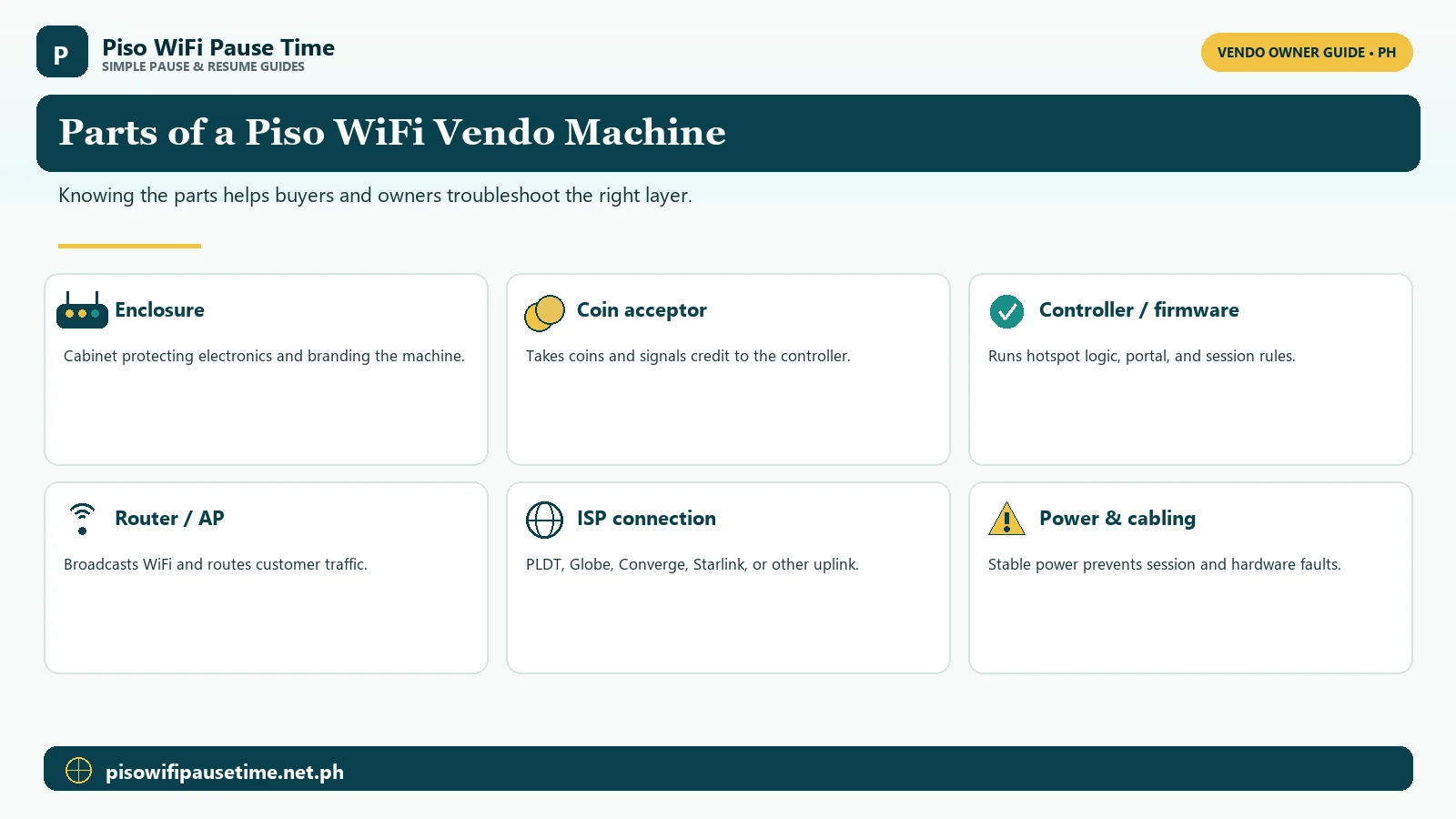
A Piso WiFi vendo combines networking equipment, a controller, a payment input, power components, and an enclosure. A ready-made unit may hide these parts inside a case, while a DIY kit may supply them separately.
Component · Purpose · What to verify
Router or access point
Purpose: Broadcasts WiFi and connects customers to the internet.
What to verify: Exact model, wireless bands, coverage, client handling, and firmware compatibility.
Controller board or mini-computer
Purpose: Runs the vending software and coordinates sessions and payments.
What to verify: Supported board, software image, ports, and replacement availability.
Coin acceptor
Purpose: Detects accepted coins and signals the controller.
What to verify: Supported denominations, calibration, documentation, and serviceability.
Power supply and DC components
Purpose: Provide power to the electronics.
What to verify: Correct ratings for each device and safe, enclosed connections.
Storage
Purpose: Holds the operating system, firmware, and configuration.
What to verify: Supported type, capacity, and replacement procedure.
Enclosure and ventilation
Purpose: Protects equipment and provides service access.
What to verify: Weather protection, ventilation, secure mounting, and access to ports.
Cables and network accessories
Purpose: Connect the controller, router, internet source, and payment hardware.
What to verify: Correct cable type, connectors, length, and installation quality.
Important: Component lists differ by platform and kit. Do not assume a listing includes a router, access point, antenna, license, or coin acceptor unless the seller confirms it in writing.
What Should You Check Before Buying a Piso WiFi Vendo Machine?
Compare the machine as a complete operating system rather than choosing by price or appearance alone. A cheaper package can cost more later if essential components, a valid license, or technical support are missing.
- Exact router, controller-board, and coin-acceptor models are identified.
- The seller provides a complete list of included and excluded parts.
- The firmware platform and license tier are named, with validity and limits explained.
- The seller confirms whether the license is tied to one device and whether transfer is allowed.
- The machine is demonstrated with a real payment and successful customer session.
- Warranty duration, exclusions, repair process, and replacement-part availability are clear.
- Internet-source compatibility and required network configuration are documented.
- Power requirements, ventilation, enclosure protection, and mounting suit the site.
- You receive setup documentation, support contact details, and a receipt or invoice.
For a used machine, inspect the coin mechanism, ports, cables, enclosure, storage media, and signs of moisture or overheating. Ask the seller to demonstrate the license and explain whether it can be transferred.
Should You Buy a Ready-Made Piso WiFi Machine or Build Your Own?
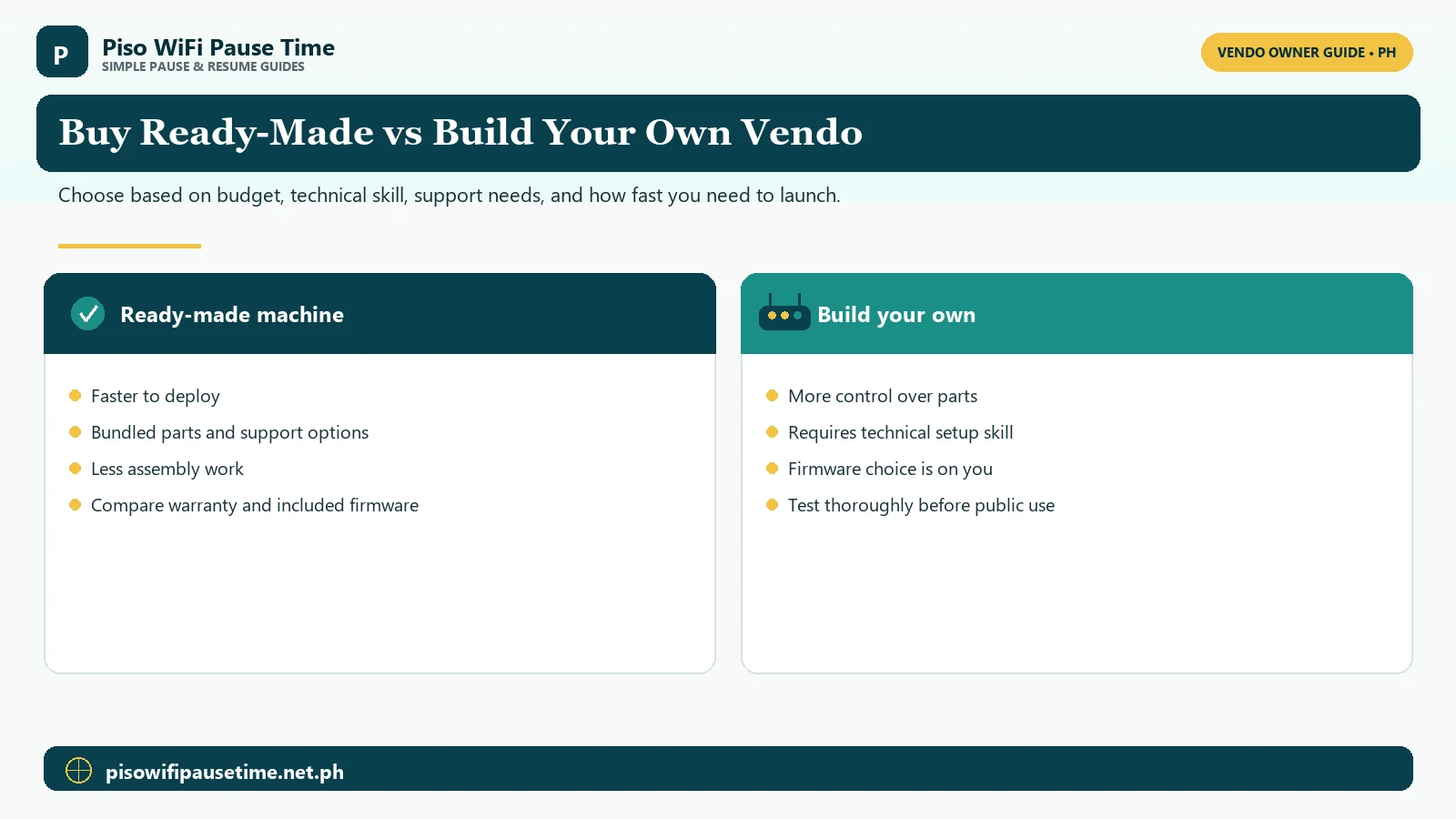
A ready-made machine is usually more convenient for a first-time operator because the seller may assemble and configure the hardware. A DIY kit can offer more control over component selection, but you need the skills and time to assemble, configure, test, and maintain it.
Ready-made
- Setup effort: Usually lower if delivered configured.
- Customization: Depends on the seller's package.
- Technical knowledge: Basic operation may be enough after handover.
- Support: May be available from seller; verify in writing.
- Cost: Compare the complete installed price.
DIY kit
- Setup effort: Higher; assembly and configuration may be your responsibility.
- Customization: More flexibility if components are compatible.
- Technical knowledge: Networking and hardware knowledge are useful.
- Support: May be split between component sellers and software provider.
- Cost: Add all parts, tools, shipping, license, and your time.
Factor comparison above covers setup effort, customization, technical knowledge, support, and cost for ready-made versus DIY kit choices.
Choose the package you can reliably support. A DIY build is not automatically cheaper once you include missing parts, failed components, tools, and setup time.
Which Piso WiFi Firmware Should You Choose?
Firmware is the software that manages the customer portal, payments, sessions, and network rules. LPB Piso WiFi and AdoPiSoft are established platforms with published documentation and license options. Other projects and seller-built systems may also be offered, but support, updates, compatibility, and license terms should be checked individually.
Platform · Compare · Questions to ask
LPB Piso WiFi
Compare: Supported hardware, license tier, cloud features, payment options, and account limits.
Questions to ask: Which board is supported? What is the license validity? Which features require a higher tier?
AdoPiSoft
Compare: Supported hardware, session types, bandwidth controls, pause rules, and license limits.
Questions to ask: Does your board match the documented configuration? What are the current terms?
Other or custom firmware
Compare: Source, update frequency, documentation, security, support, and compatibility.
Questions to ask: Who maintains it? Is the license legitimate? Can you obtain updates and help?
AdoPiSoft documentation describes time sessions, data sessions, time-or-data sessions, and subscription sessions. Settings can include bandwidth limits and pause permissions. Exact features depend on software version and license.
LPB's published materials describe remote monitoring, session-time synchronization, sales tracking, bandwidth controls, vouchers, sub-vendo support, and selected digital-payment integrations. Confirm the current plan and hardware support directly with the provider.
Security: Create a unique administrator password and secure every management account. Do not leave factory or installer credentials unchanged, and do not publish private access details in customer-facing instructions.
Which Router and Internet Connection Do You Need for a Piso WiFi Vendo?
Your router and internet connection should match the expected number of customers, coverage area, type of usage, and platform's supported hardware. There is no single router model that is best for every location.
Check the access point
- Confirm the exact model and supported WiFi bands.
- Consider active devices and traffic, not only the advertised maximum client count.
- Plan access-point placement to reduce walls, interference, and dead zones.
- Check whether the firmware supports the router or access-point configuration.
- Use wired backhaul where practical for a more stable connection between devices.
Check the internet source
Fixed broadband may suit locations where reliable wired service is available. A 4G or 5G connection may be an alternative, but performance depends on signal strength, congestion, data allowances, and provider terms. Check router compatibility with the SIM, bands, and network mode.
Can You Use PLDT, Globe, or Converge Internet for a Piso WiFi Business?
Do not assume a residential internet plan automatically permits paid public WiFi resale. Terms can differ by provider, service type, and subscription agreement. Review the terms for your exact account and obtain written clarification or permission before using a residential connection for a commercial hotspot.
| Provider | Published terms indicate | Practical action |
|---|---|---|
| PLDT Home | Published residential terms describe service for personal use and restrict resale or commercial use without prior express written consent. | Ask PLDT about the exact Piso WiFi arrangement and obtain written approval or a suitable business plan. |
| Globe / Innove | Published Globe Business Broadband terms restrict resale or redistribution for value without prior written consent. Terms may vary by product. | Check the exact plan terms and request written clarification. |
| Converge | Published terms address subscriber use, service rights, and transfer restrictions; they are not a blanket answer for every paid-hotspot arrangement. | Explain the proposed setup to Converge and request written guidance for your subscription. |
Before buying equipment: Contact the ISP first. Explain that you intend to provide paid WiFi access and ask which plan, approval, or business service is required. Keep the written response with your records.
How Many Users Can a Piso WiFi Vendo Support at Once?
There is no universal simultaneous-user number for all Piso WiFi machines. Real capacity depends on the router or access point, controller, firmware, internet bandwidth, radio conditions, client behaviour, and applications customers use.
A device-count claim in a seller listing is not the same as a tested number of customers receiving acceptable service. A network may allow many devices to connect while becoming slow when several customers stream video, download large files, or make video calls at the same time.
Estimate capacity responsibly
- 1
Identify the exact router, access point, controller, and firmware versions.
- 2
Check documented limits from the manufacturer and software provider.
- 3
Estimate busy-hour active customers, not everyone within WiFi range.
- 4
Test common customer activities at the busiest expected time.
- 5
Monitor latency, packet loss, throughput, CPU load, and client stability.
- 6
Set a realistic customer limit and review it using operating data.
Start conservatively and expand only after measurements show the network can handle more demand without degrading the experience.
How to Choose the Best Location for a Piso WiFi Business
A good location has regular demand for affordable internet, safe equipment placement, reliable power, and a coverage area you can serve consistently. Foot traffic alone does not guarantee sales.
- Demand: Are there students, renters, commuters, workers, or residents who need occasional internet?
- Competition: Are other public WiFi services available nearby, and what do customers receive?
- Visibility: Can customers find the machine and understand how to connect?
- Coverage: Can the access point cover the intended area without excessive interference?
- Safety: Can the unit be secured against rain, tampering, theft, and damage?
- Permission: Does the property owner or site manager approve installation?
- Operating cost: What are rent, electricity, internet, maintenance, and payment-related costs?
Observe the location at different times and on different days. A short demand survey or trial can be more useful than relying on a seller's earnings estimate.
How Much Can You Earn from a Piso WiFi Vendo Business?
Revenue depends on paid sessions, pricing, demand, uptime, and repeat use. Profit is lower after internet service, electricity, rent or site fees, maintenance, payment charges, license costs, and equipment replacement. No seller or article can guarantee a particular daily income or payback period.
Gross daily revenue = number of paid sessions × average payment per session.
Estimated monthly operating profit = monthly gross revenue − monthly operating expenses.
Illustrative example only: If a machine records 30 paid sessions per day with an average payment of ₱3, gross revenue is ₱90 per day, or about ₱2,700 over a 30-day month. This is revenue before costs—not take-home profit. If monthly operating costs are ₱1,500, the illustrative amount remaining is ₱1,200 before equipment recovery, taxes, and other unlisted expenses.
Replace the example inputs with measured session counts, actual average payments, and real monthly costs. Track results for several weeks before deciding whether to expand.
Costs to include
- Internet subscription or data plan
- Electricity and backup power, if used
- Rent, commission, or location fee
- Firmware license and renewals
- Payment processing or e-wallet charges, where applicable
- Repairs, replacement parts, and maintenance
- Equipment purchase and installation
- Permits, registration, taxes, and accounting costs that apply
What Are the Advantages and Disadvantages of a Piso WiFi Business?
Potential advantages
- Can provide low-cost internet access to people who do not need a full home subscription.
- Payment and session handling can be automated by supported platforms.
- Can operate in a small space if the site and equipment are suitable.
- Some platforms provide remote monitoring and sales records.
- Can expand after the operator understands demand and operating costs.
Potential disadvantages
- Demand and revenue vary by location, season, and competition.
- Hardware, software, network, and payment systems need maintenance.
- Power, internet, or equipment failures can interrupt service and sales.
- Remote features, payment integrations, and user limits may depend on license tiers.
- Commercial internet permissions, permits, and local requirements need checking.
How to Set Up a Piso WiFi Vendo Machine
The exact installation steps depend on hardware and firmware. Follow the documentation for your specific board, router, payment device, and software. Do not copy wiring diagrams or power settings from a different model.
Choose the location, obtain the property owner's approval, and confirm that your ISP plan permits the intended commercial use.
Check the platform's supported hardware list and select a complete package with a valid license and available support.
Use the manufacturer's documentation for power, controller, router, coin acceptor, and network cabling. If you are not qualified to work with electrical components, use a competent installer.
Install the correct software image for the exact hardware. Select the correct hardware configuration; incorrect settings can affect device identification and input/output pin assignments.
Create unique administrator credentials, change installer-set passwords, use strong passwords, and restrict management access to trusted people.
Set payment values, session durations or data allowances, bandwidth rules, pause permissions, and supported voucher or subscription options.
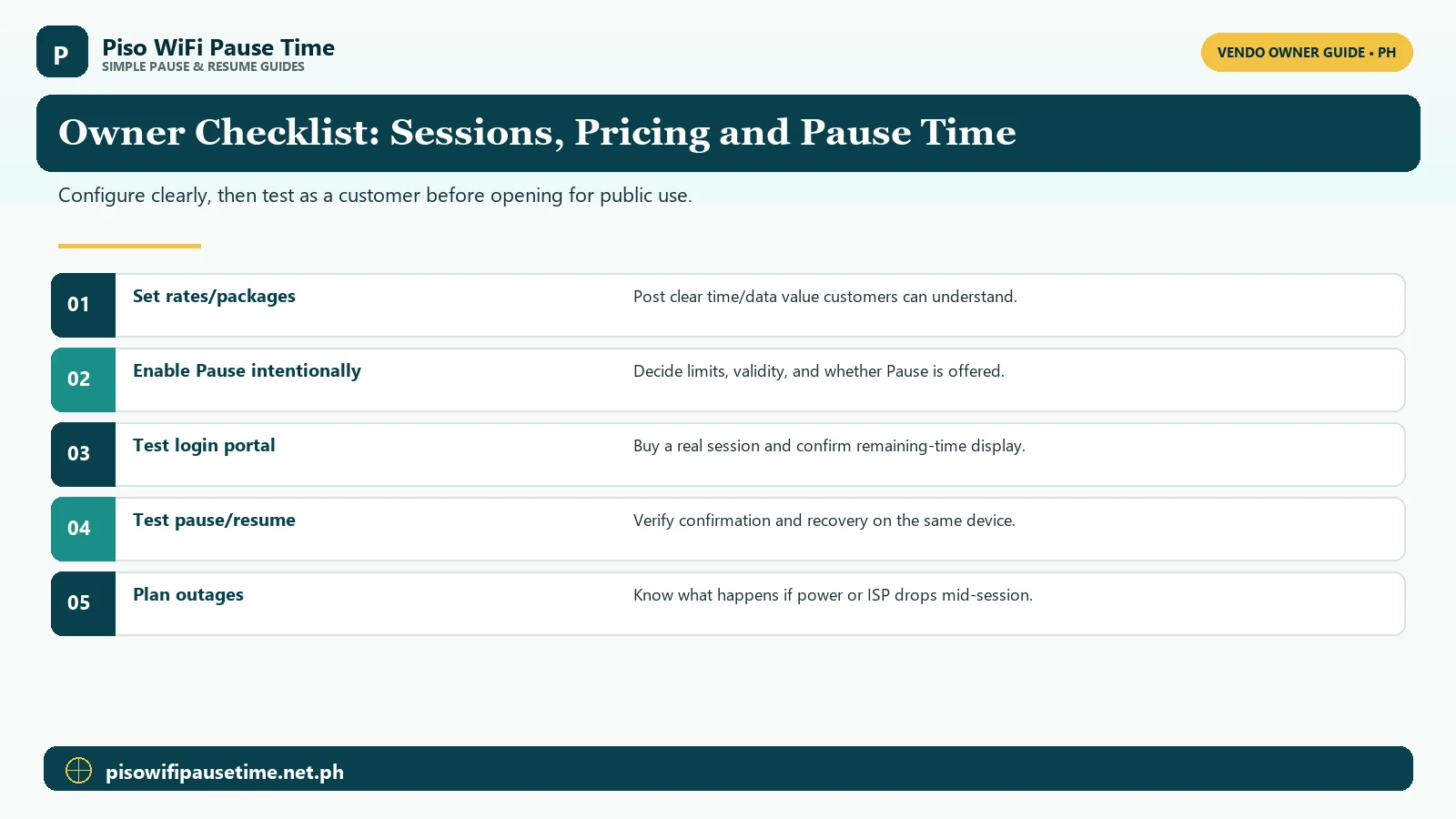
Test payment, portal access, session start, browsing, pause/resume if enabled, session expiry, and transaction records before opening.
How to Manage Piso WiFi Sessions, Pricing, and Pause Time
Operators use the firmware dashboard to configure how customers pay and how the system grants internet access. Depending on the platform, sessions may be time-based, data-based, time-or-data-based, or subscription-based. Available options vary by software and license.
Set rates customers can understand and that reflect your costs, local demand, and the connection quality you can deliver. Do not copy another operator's rate card without checking whether your bandwidth and expenses are comparable.
Pause time lets a customer temporarily stop a session when enabled and permitted by the operator's rules. Firmware may provide controls such as the number of pauses, minimum remaining time, or which session types can pause. Explain these conditions clearly on the customer portal.
This article focuses on the operator and business side. For customer instructions on opening the portal and pausing a purchased session, use the site's separate Piso WiFi pause-time guide rather than duplicating the full customer tutorial here.
How to Test a Piso WiFi Machine Before Opening It
Run a complete acceptance test before taking payments. Test using the network conditions and devices customers are likely to use.
- Machine powers on normally and remains stable.
- Controller and router are detected by the selected firmware.
- Customer WiFi network is visible in the intended coverage area.
- Customer portal loads on Android, iPhone, and a laptop where practical.
- Coin acceptor or other payment method records the correct payment.
- The expected time or data allowance is credited accurately.
- Internet access starts and ends according to the configured session.
- Pause and resume work if enabled for that session type.
- Bandwidth and customer limits behave as configured.
- Sales records and transaction history are visible to the operator.
- Administrator access is protected and not exposed to customers.
- Power and internet recovery procedures are understood.
Record the test date, hardware models, firmware version, results, and any issues fixed. Repeat key tests after major firmware or hardware changes.
What Happens When a Piso WiFi Machine Loses Power or Internet?
A power or internet outage can interrupt customer sessions, prevent new payments, and affect synchronization of records. Behaviour depends on platform, hardware, connection type, and configuration. Do not assume every system automatically restores every remaining session after an outage.
Prepare an outage plan
- Keep power and network equipment protected and properly ventilated.
- Ask the firmware provider how sessions and payment records behave after an unexpected restart.
- Document the safe restart sequence for your exact hardware.
- Check internet, router, controller, and platform logs before changing settings.
- Communicate interruptions to customers and handle payment complaints fairly.
- Consider backup power only after confirming load and electrical requirements.
How to Maintain and Troubleshoot a Piso WiFi Vendo Machine
Regular checks can reduce avoidable downtime. Follow the equipment manufacturer's and firmware provider's maintenance recommendations.
| When | Suggested check |
|---|---|
| Daily or routine visit | Confirm power, visible WiFi, payment operation, and active internet. |
| Weekly | Review sales and error logs, inspect enclosure, and check external cables and heat. |
| Monthly | Review updates, license status, backups, account access, and customer feedback. |
| After repair or update | Repeat payment, portal, session, internet, and security tests. |
Basic troubleshooting sequence
- 1
Identify whether the issue affects one customer or everyone.
- 2
Check power and indicator lights without modifying live electrical components.
- 3
Check internet service and router connection.
- 4
Review firmware status, logs, and configuration for relevant errors.
- 5
Restart only in the sequence recommended for the exact hardware.
- 6
Contact the platform or equipment provider if the fault persists.
Do not randomly change GPIO, voltage, WAN, or firmware settings. Keep a backup of working configurations and document every change.
Is a Piso WiFi Business Legal in the Philippines?
Operating a Piso WiFi service involves more than buying a machine. Check business registration, local permits, tax obligations, property permission, ISP contract terms, and telecommunications rules that apply to your specific service model.
DTI business-name registration gives a sole proprietor's business name a legal identity, but it does not by itself replace local permits needed to operate. The appropriate registration route can differ for a sole proprietorship, corporation, or cooperative, and local requirements may vary.
There is also a regulatory question around the exact paid public internet arrangement. NTC materials describe a Value-Added Service (VAS) registration framework, and an NTC response to a specific Piso WiFi permit inquiry referred the applicant to the relevant memorandum circular and Citizen's Charter. That does not establish that every individual Piso WiFi operator automatically needs the same registration. Ask the NTC about your exact setup and obtain advice from relevant local authorities.
Practical legal checklist: Confirm ISP commercial-use terms in writing; ask your city or municipal government which business and location permits apply; check the appropriate DTI, SEC, or CDA registration route; and ask the NTC whether your paid hotspot model triggers VAS or another registration requirement. This guide is general information, not legal advice.
Frequently Asked Questions About Piso WiFi Vendo
What is a Piso WiFi vendo?
It is a vending-based WiFi service that lets customers pay for prepaid internet access, commonly through a coin-operated machine or another payment method supported by the platform.
How much does a Piso WiFi vendo machine cost?
Prices depend on whether you buy a casing, DIY kit, or complete machine. Published seller examples vary widely, so request an itemized quotation and confirm what is included.
Can I build my own Piso WiFi vendo?
Yes, if you have compatible hardware, a supported firmware platform, and the technical ability to assemble and configure the system safely. Include the cost of parts, tools, licenses, and testing.
Which firmware is best?
There is no universal best option. Compare supported hardware, license terms, session controls, payment options, documentation, update history, and technical support.
Can I use PLDT, Globe, or Converge residential internet?
Do not assume residential service permits paid redistribution. Review the exact plan terms and obtain written clarification or permission before operating a commercial hotspot.
How many users can connect at the same time?
It depends on the access point, hardware, firmware, bandwidth, signal conditions, and customer activity. Test under realistic busy-hour conditions instead of relying only on a seller's maximum-device claim.
Can customers pause their Piso WiFi time?
Only if the operator enables the feature and the session type meets platform rules. Pause count and minimum remaining time may be configurable.
Will the machine recover automatically after a power outage?
Recovery varies by hardware and firmware. Ask the provider how sessions and payment records are handled after a restart, and test the procedure before launch.
Do I need a permit?
Requirements depend on business structure, location, internet arrangement, and applicable regulations. Check with your local government, registration agency, ISP, and NTC about your setup.
Can a Piso WiFi business guarantee profit?
No. Revenue depends on demand, pricing, uptime, competition, and costs. Calculate your own figures and use actual sales data before investing further.
Final Checklist Before Starting a Piso WiFi Vendo Business
Use this checklist before paying for a machine or opening the service.
- I checked local demand and selected a suitable location.
- I have permission from the property owner or site manager.
- My ISP confirmed the correct plan or gave written permission for the intended use.
- I compared complete machine quotations, not just headline prices.
- I know the exact hardware models and firmware platform.
- The license is valid and its limits, renewal, and transfer rules are clear.
- I understand warranty, support, and replacement-part options.
- The machine is installed safely and administrator accounts are secured.
- Rates, session rules, bandwidth settings, and pause options have been tested.
- Payments, customer access, session expiry, and sales records work correctly.
- I calculated operating costs and a conservative break-even estimate.
- I checked registration, permits, tax obligations, and relevant NTC requirements.
- I have a plan for outages, maintenance, customer support, and record keeping.
A Piso WiFi vendo can provide a useful local internet service when the equipment, connection, location, and business arrangements are suitable. Decide using verified hardware details, written provider terms, realistic cost estimates, and tests of the actual machine—not promises of guaranteed income.
Sources and Editorial Note
Editorial note: Prices, license features, ISP terms, and regulatory requirements can change. Verify current details with the seller, platform provider, ISP, and government office before purchasing or operating equipment.
Sources and further reading
- AdoPiSoft official website — platform features and licensing information.
- LPB Piso WiFi official website — platform features, hardware, and license information.
- TP-Link Philippines operator guide.
- Department of Trade and Industry and DTI Business Name Registration System.
- National Telecommunications Commission — telecommunications rules and VAS information.
- PLDT Home, Globe, and Converge — verify terms for your exact subscription.