Starlink Piso WiFi Philippines: Setup, Cost, Login and Pause Time
Starlink Piso WiFi is a paid WiFi service that uses Starlink as its internet connection and a separate Piso WiFi system to provide internet access to customers. The Starlink dish receives the internet connection, while a Piso WiFi router and vending system manage the customer network, payments, vouchers and internet sessions.
If you are planning to start a Starlink Piso WiFi business in the Philippines, check the Starlink plan's resale rules, equipment compatibility, setup cost, data requirements and vending software before buying anything. Having equipment that can connect does not automatically mean your Starlink subscription allows paid internet resale.
If you are already a customer, connect to the correct Piso WiFi network and try http://10.0.0.1 if the operator has configured that address for the customer portal. You may be able to pay, enter a voucher, check your session or use Pause and Resume there. This local portal is separate from your Starlink account.
Already connected to Starlink Piso WiFi?
- 1
Connect your phone or laptop to the correct Piso WiFi network.
- 2
Open a browser and enter http://10.0.0.1 if this is the machine's configured portal address.
- 3
Follow the portal instructions to pay, redeem a voucher or access an eligible session.
- 4
Use Pause or Resume only if the machine provides those controls.
The portal address and available features depend on the operator's configuration. This guide cannot process payments, credit minutes or restore an expired session.
Check plan permission, availability, equipment, data requirements and total operating costs.
Find the local portal, understand payment and learn how supported Pause and Resume features work.
Connect Starlink to a compatible router and configure the separate vending system.
Starlink supplies internet. Piso WiFi software manages customer access and sessions.
1. What Is Starlink Piso WiFi and How Does It Work?
Operator identity · Starlink uplink + Piso WiFi vending
Starlink Piso WiFi is a Piso WiFi vending setup that uses Starlink satellite internet as its upstream connection. Customers connect to a local WiFi network and pay the operator to access the internet for a selected period or data allowance.
The system combines two separate services: Starlink provides the internet connection, while Piso WiFi equipment and software manage customer access, payments, vouchers and sessions.
What Is a Starlink Piso WiFi Vendo Machine?
A Starlink Piso WiFi vendo machine is a vending system that distributes paid internet access through a local WiFi network connected to Starlink. Depending on the setup, it may include a Starlink dish or terminal, Starlink router or compatible third-party router, Piso WiFi router/controller, coin acceptor, vending software, customer portal and optional cashless payment features.
Customers do not normally connect directly to the Starlink dish. Their phones and laptops connect to the WiFi network provided by the Piso WiFi router or access point.
How Does Starlink Piso WiFi Work?
- 1
The Starlink dish receives the satellite internet connection.
- 2
Starlink equipment passes that connection to the network router.
- 3
The Piso WiFi router distributes WiFi to customers.
- 4
A customer connects to the vending machine's WiFi network.
- 5
The customer portal displays payment or voucher options.
- 6
The customer pays or enters a valid voucher.
- 7
The vending software activates the customer's internet session.
- 8
The system tracks remaining time or data, depending on its configuration.
If the installed platform supports Pause Time, the customer may also be able to pause an eligible session and resume it later.
What Does Starlink Control and What Does the Piso WiFi System Control?
| Component | Main responsibility |
|---|---|
| Starlink service | Provides the upstream internet connection. |
| Starlink dish or terminal | Receives the satellite connection. |
| Starlink router | Provides or passes network connectivity, depending on the setup. |
| Piso WiFi router | Distributes the customer WiFi network. |
| Vending controller | Coordinates the vending system. |
| Piso WiFi software | Manages the portal, payments and customer sessions. |
| Coin acceptor | Detects physical coin payments. |
| Customer portal | Provides the customer access and session interface. |
Important: Starlink data usage and Piso WiFi session time are not the same. A customer may still have paid minutes remaining while the operator is approaching the Starlink Priority data limit. The vending system tracks the customer's session, while Starlink tracks service data usage.
How the connection fits together — Starlink dish → Piso WiFi router → vending portal → customer device.
2. Is Starlink Allowed for a Piso WiFi Business in the Philippines?
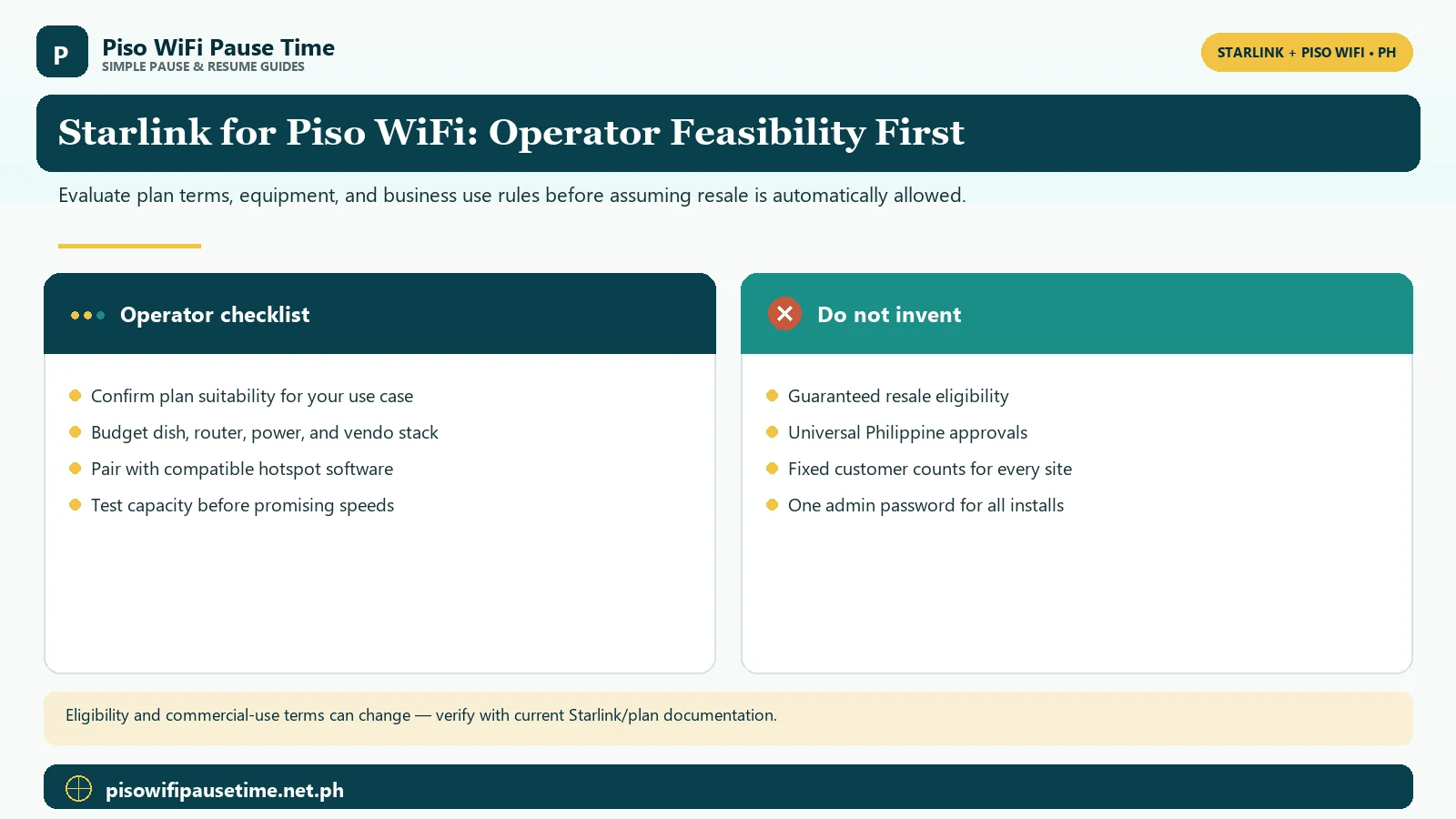
Before buying a Starlink kit or Piso WiFi machine, check whether your intended paid hotspot activity is allowed under the Starlink service agreement that applies to your account.
Technical compatibility is not the same as contractual permission. A router may connect successfully to Starlink, but that does not automatically give the subscriber permission to resell internet access.
Can You Resell Starlink Internet Through a Paid Hotspot?
Starlink's Terms of Service contain a restriction on reselling access to its service unless Starlink authorizes it. The Terms also describe an exception for customers who purchase a Priority Plan, allowing them to resell access as community WiFi or a hotspot to third parties, subject to the applicable terms and limitations.
This matters to a Piso WiFi operator because customers pay to access the internet connection. Read the current Starlink Terms of Service and confirm that the agreement and plan offered to your account cover your intended operation.
What Do Starlink's Priority Plan Terms Say About Community WiFi?
Starlink identifies Local Priority and Global Priority as business-oriented service plans. Its Terms describe community WiFi and hotspot resale as a permitted use for Priority Plan purchasers, subject to the applicable agreement.
For a local Philippine Piso WiFi operation, Local Priority is an important plan category to investigate because it is intended for use within one country. Confirm the plan, service address, account terms and restrictions directly with Starlink.
Why Should You Not Assume Residential Service Allows Paid Resale?
Residential service is not automatically equivalent to a Priority Plan. Connecting a vending machine, adding another router or enabling Bypass Mode does not change the contractual terms of the subscription.
Philippine reporting has described warning emails sent to some Residential customers who were reselling Starlink access through Piso WiFi. This is a reported enforcement example, not proof that every account will receive the same warning or experience the same outcome.
What Should Operators Verify Before Starting?
- The exact Starlink service plan on the account.
- Whether the applicable terms permit the intended community WiFi or hotspot activity.
- Whether service is available at the installation address.
- Whether the Starlink hardware supports the required network connection.
- Whether the Piso WiFi router and software work with the planned arrangement.
- The recurring service cost and data allowance.
- Applicable local business and tax requirements.
Key tip: Confirm plan permission first. Do not spend money on a complete vending setup based only on a seller's statement that a Starlink kit can connect to a Piso WiFi router.
Sources: Starlink Terms of Service and The Philippine Star reporting on Starlink resale warnings.
3. Which Starlink Plan Should You Choose for Piso WiFi?
The Starlink plan matters because it affects permitted use, service features and the data arrangement. Do not select a plan based only on its advertised monthly price.
Is Local Priority Suitable for a Philippine Community WiFi Setup?
Local Priority is a business-oriented plan intended for high-demand users and use within one country. Starlink describes it as providing prioritized network access and other business features.
For a Philippine community WiFi or hotspot service, Local Priority is an important plan to investigate. Check the actual data allowance, service terms, available options and final account price before subscribing.
When Would Global Priority Be Relevant?
Global Priority is intended for broader service requirements. It may be relevant to certain mobile, international or specialized business operations. A local fixed Piso WiFi vendo does not automatically need Global Priority. Compare the plan's intended use and costs with your actual requirements.
What Is the Difference Between Residential and Priority Plans?
| Consideration | Residential | Priority |
|---|---|---|
| Main service context | Residential internet | Business and high-demand use |
| Community WiFi resale | Do not assume it is permitted | Terms describe a community WiFi/hotspot resale provision for Priority purchasers |
| Data arrangement | Depends on the Residential offer | Priority data allowance and additional data options |
| Next step | Check the applicable Residential agreement | Check the exact Priority offer and resale conditions |
Can You Use Starlink Roam for Piso WiFi Resale?
Do not assume that Roam permits paid internet resale simply because the service is portable. Portability and commercial resale permission are separate issues. Check the terms of the exact service plan.
How Can You Check Current Starlink Prices in the Philippines?
Pricing can depend on the service address, selected hardware and service plan. The amount shown in an article, old screenshot or another country's checkout may not match your current Philippine offer.
Check the official Starlink website using your service address. Review hardware purchase, monthly service, included Priority data and additional data charges separately.
Starlink also explains that the Terminal Access Charge applies to Local and Global Priority plans. The displayed monthly service price includes this charge; it is not a separate amount to add again.
Key tip: Save a copy of your current plan details and price before calculating your Piso WiFi business budget.
4. Starlink vs Regular Piso WiFi: Which Is Better?
Starlink and regular broadband can both provide the internet connection for a Piso WiFi system. The better option depends on the location, available services, operating cost and expected customer demand.
Starlink vs Fiber Internet for Piso WiFi
| Factor | Starlink | Fiber broadband |
|---|---|---|
| Connection method | Satellite | Physical fiber-optic network |
| Availability | Depends on service availability and installation conditions | Depends on local fiber coverage |
| Installation | Requires suitable dish placement and power | Requires provider connection and suitable installation |
| Data and service terms | Depend on selected Starlink plan | Depend on provider plan |
| Main consideration | Useful where suitable fixed broadband is unavailable | Worth comparing where reliable fiber is available |
Neither option is automatically faster, more reliable or more profitable in every location.
When Might Starlink Be a Better Option?
- Your location does not have suitable fiber coverage.
- Fixed broadband installation is unavailable or impractical.
- The site has a suitable location for the dish.
- The selected plan permits the intended hotspot activity.
- The monthly cost and data arrangement fit your business model.
When Might Fiber or Another Connection Be Better?
Fiber may be more practical when a suitable provider serves the area, the service terms allow your intended use, the monthly cost fits your budget and the connection meets expected customer demand. Mobile broadband may also be worth comparing, subject to its coverage, data allowance and commercial-use conditions.
What Should You Compare Before Choosing?
- 1
Initial equipment and installation cost.
- 2
Monthly subscription.
- 3
Data allowance and additional data charges.
- 4
Service availability.
- 5
Expected customer demand.
- 6
Router and access point requirements.
- 7
Maintenance and power requirements.
- 8
Permission to provide paid customer access.
5. How Much Does Starlink Piso WiFi Cost in the Philippines?
The total Starlink Piso WiFi setup cost depends on the Starlink hardware, vending machine, router, software, installation and other equipment you choose. There is no single price that applies to every setup.
How Much Does Starlink Hardware and Installation Cost?
Include the Starlink terminal, router or power supply, required Ethernet Adapter if applicable, mounting equipment, installation labour and additional cables or accessories. Check the current price for your address and selected kit through official Starlink checkout.
How Much Does the Piso WiFi Vendo and Router Cost?
Your vending equipment budget may include a Piso WiFi router or controller, vendo enclosure or complete machine, coin acceptor, access point and display or other vending components. Check exactly what a supplier's package contains.
How Much Do Piso WiFi Software and Payment Integrations Cost?
Depending on the platform, budget for a firmware or software licence, installation and configuration, voucher features, cashless payment integration, updates, technical support and recurring platform charges. Confirm whether the licence is included in the equipment price.
What Other Setup Expenses Should You Include?
- Ethernet cables and mounting materials.
- Electrical work and backup power, if required.
- Site preparation and weather protection.
- Installation labour and transport.
What Are the Monthly Operating Costs?
| Expense | What to include |
|---|---|
| Starlink service | Monthly service plan |
| Additional data | Priority data blocks or top-ups, if needed |
| Electricity | Starlink and vending equipment power use |
| Software | Recurring licence or service charges, if applicable |
| Payments | Applicable payment-processing fees |
| Maintenance | Repairs, replacements and cleaning |
| Other costs | Site rent, transport or other business expenses |
How Should You Calculate Your Startup Budget?
Initial setup cost = Starlink hardware + vending machine + router/controller + software + accessories + installation
Monthly operating cost = Starlink service + data top-ups + electricity + software fees + payment fees + maintenance + other monthly expenses
Do not mix the one-time hardware purchase with monthly service charges. Keeping them separate makes it easier to calculate the business's payback period.
Key tip: Ask the supplier for an itemized quotation. Confirm whether the package includes the router, coin acceptor, firmware, installation, warranty and support.
6. What Equipment Do You Need for Starlink Piso WiFi?
A Starlink Piso WiFi setup needs equipment for two jobs: receiving internet from Starlink and distributing paid internet access to customers.
Starlink Dish and Terminal
The Starlink dish, also called the terminal, receives the satellite internet connection. Its installation location matters. You need a suitable view of the sky and a place where the dish can be mounted safely. Obstructions may affect the connection.
Starlink Router or Ethernet Connection
The connection method depends on the Starlink kit. Some hardware has Ethernet built into its power supply or provides native Ethernet connections. Other kits require an Ethernet Adapter to connect a third-party router. Check your exact hardware before purchasing an adapter.
Piso WiFi Router and Controller
The Piso WiFi router or controller distributes internet to customer devices. It may also work with the vending software to manage customer access and sessions. Depending on the system, a separate access point may be used to improve coverage.
Coin Acceptor and Vendo Machine
A coin acceptor detects physical payments and sends the relevant information to the vending system. The controller and software then process the transaction and activate the customer's session, according to the machine's configuration.
Piso WiFi Firmware, Cables and Optional Equipment
- Piso WiFi firmware or vending software.
- Ethernet cables and mounting materials.
- Power supply and electrical protection.
- Backup power, if needed.
- Voucher system and supported cashless payment equipment.
Equipment Checklist Before Buying
| Item | What to confirm |
|---|---|
| Starlink kit | Exact hardware model and Ethernet method |
| Router | WAN connection and compatibility |
| Vendo/controller | Supported router and vending functions |
| Software | Portal, payment and session features |
| Coin acceptor | Compatibility with the controller |
| Cables | Correct type and required length |
| Power | Suitable electrical supply and backup needs |
| Installation | Mounting, weather exposure and cable routing |
Key tip: Ask the supplier to demonstrate the complete system, including a customer login, payment transaction and session activation. A machine that powers on is not necessarily a fully tested vending setup.
7. Which Piso WiFi Software Works With Starlink?
Starlink does not provide the complete Piso WiFi vending system. You need separate software or firmware to manage the customer portal, payments and sessions. The right platform depends on your vending hardware, router, features and support requirements.
What Is LPB Piso WiFi Software?
LPB is one of the Piso WiFi software options operators may encounter. Before purchasing an LPB-based setup, confirm the supported router and hardware, captive portal, coin and voucher handling, session types, Pause and Resume features, and support arrangements.
What Is AdoPiSoft and What Can It Manage?
AdoPiSoft provides documentation for managing customer sessions and vending settings. Its documented functions include time-based, data-based, time-or-data and subscription sessions; download and upload bandwidth limits; session expiry; pause permissions; DHCP leases and activity information.
Its documentation also describes automatic pause when a device becomes disconnected or inactive under supported settings, and automatic resume when the device reconnects. These features depend on software configuration and version.
What Is JuanFi and What Features Should You Check?
JuanFi is another Piso WiFi platform option. Its published feature and release information describes voucher functions and session pause features in supported versions. Confirm the exact version and hardware arrangement before buying.
How Should You Compare Piso WiFi Platforms?
| Feature | What to verify |
|---|---|
| Captive portal | Can customers open and use it easily? |
| Coin payment | Does it work with your coin acceptor? |
| Vouchers | Can the system generate and redeem vouchers? |
| Cashless payment | Are your intended payment methods supported? |
| Session types | Time, data or other required session types |
| Pause Time | Can customers pause eligible sessions? |
| Auto-resume | Does the installed version support it? |
| Monitoring | Can the operator review sessions and activity? |
| Support | Is installation and troubleshooting help available? |
Key tip: Compare actual features, compatibility and support—not only the brand name. A feature available in one version may not be available or enabled in another.
Sources: AdoPiSoft session settings, AdoPiSoft documentation and JuanFi.
8. How to Set Up Starlink Piso WiFi Step by Step
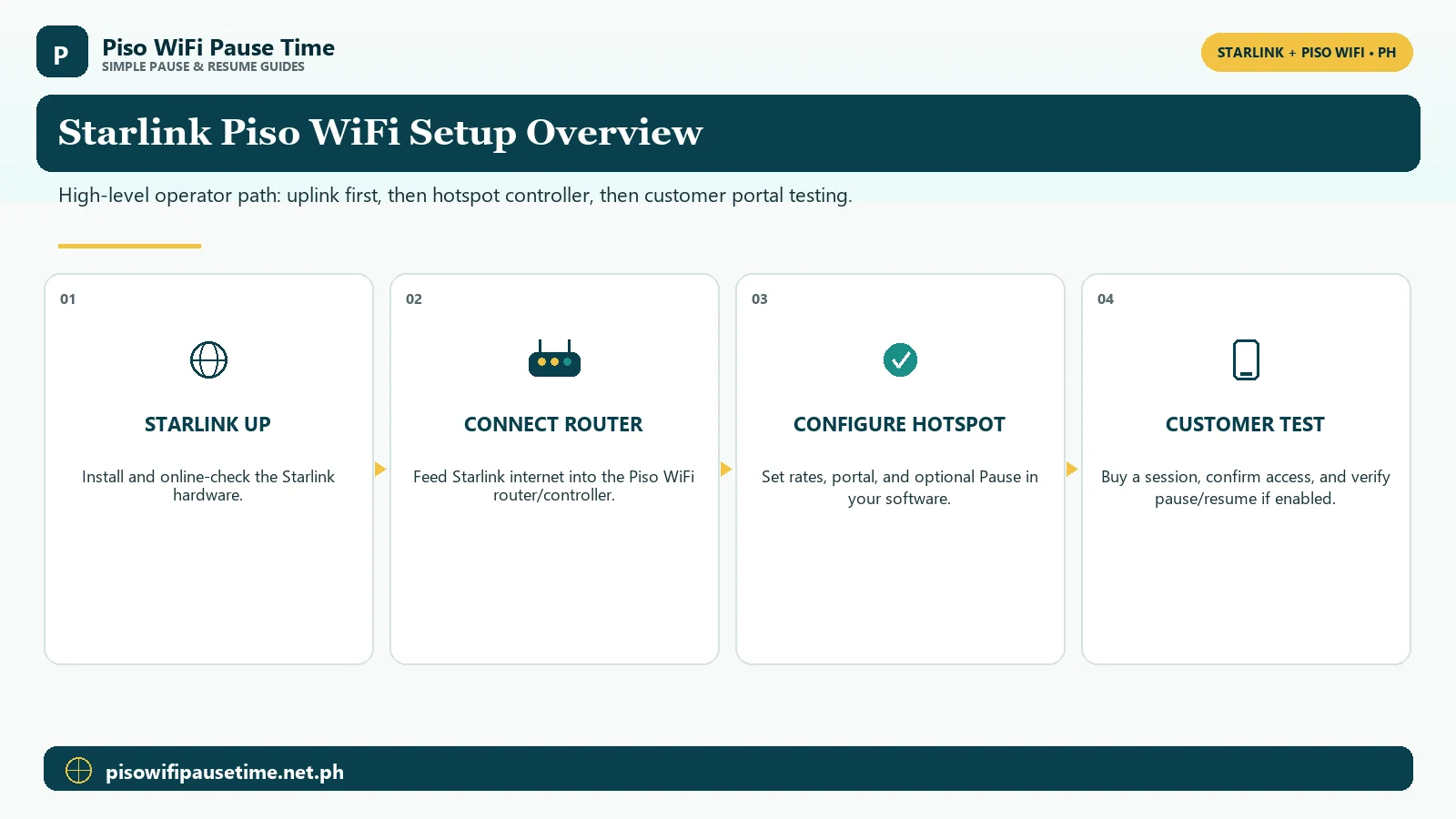
The safest way to install a Starlink Piso WiFi system is to test each part before connecting everything together.
- 1Check Starlink plan permission and local availability
Confirm that the plan permits your intended paid hotspot activity. Check service availability at the installation address, current data allowance and recurring cost.
- 2Choose the Starlink installation location
Check for trees, buildings and other obstructions. Choose a secure mounting location, plan cable routing and make sure power is available. Use the Starlink app and installation instructions to check for obstructions.
- 3Install and test the Starlink connection
Set up the Starlink hardware according to the instructions for your kit. Complete account and app setup, wait for the connection and test internet access before adding the vending system.
- 4Connect the Piso WiFi router or controller
Identify the correct Ethernet connection for your Starlink kit. Connect the Starlink network to the WAN interface of the third-party router where applicable. Follow hardware-specific instructions.
- 5Configure the Piso WiFi software
Configure the customer WiFi network, captive portal, payment options, voucher settings, session types, bandwidth settings and supported Pause and Resume features.
- 6Set rates and customer session rules
Set operator-selected rates. Check that the vending software correctly connects payment to the session. Test time or data credits and applicable expiry rules.
- 7Test the complete customer journey
- Connect a test device to customer WiFi.
- Open the configured portal.
- Complete a test payment or voucher redemption.
- Check whether the session is activated.
- Confirm internet access and remaining time or data.
- Test Pause and Resume if available.
- Confirm what happens when the session expires.
Key tip: Do not open the service to paying customers until you have tested the entire process. A working Starlink connection does not prove that the vending software, payment system and customer portal are working correctly.
9. How to Connect Starlink to a Piso WiFi Router
The Starlink-to-Piso-WiFi connection passes internet from Starlink equipment to the router that manages the customer network. The exact arrangement depends on the Starlink kit and Piso WiFi hardware.
Typical third-party router arrangement — Starlink dish → Ethernet → Router WAN → Customer WiFi.
Does Your Starlink Kit Need an Ethernet Adapter?
Not every Starlink kit uses the same Ethernet connection. Some Standard Actuated kits require an Ethernet Adapter. Some Standard hardware has Ethernet built into its power supply. Certain Performance and Enterprise configurations provide native Ethernet, while Starlink Mini has its own connection instructions. Check your exact hardware before purchasing an adapter.
Which Port Should You Connect to the Piso WiFi Router?
In a typical third-party router setup, the Ethernet connection from Starlink goes to the third-party router's WAN port. The WAN port receives the upstream internet connection. The router's LAN or WiFi network then provides access to customer devices.
When Should You Use Starlink Bypass Mode?
Bypass Mode turns off the built-in Starlink WiFi so a third-party router can manage the network. It may be needed for some hardware arrangements, but it is not a universal requirement. Starlink's instructions vary by router and power-supply generation.
Be careful before enabling it. Starlink explains that leaving Bypass Mode may require a factory reset on supported equipment.
What Should You Check if the Piso WiFi Router Does Not Receive Internet?
- 1
Confirm Starlink itself has an internet connection.
- 2
Check the Ethernet cable and adapter.
- 3
Confirm the cable is connected to the correct WAN port.
- 4
Check the router's WAN configuration.
- 5
Confirm DHCP is enabled where required by the Starlink instructions.
- 6
Review whether Bypass Mode is required for your kit.
- 7
Check the router's connection status and logs.
Sources: Starlink third-party router guide and Starlink Bypass Mode.
10. How to Open the Starlink Piso WiFi Login at 10.0.0.1
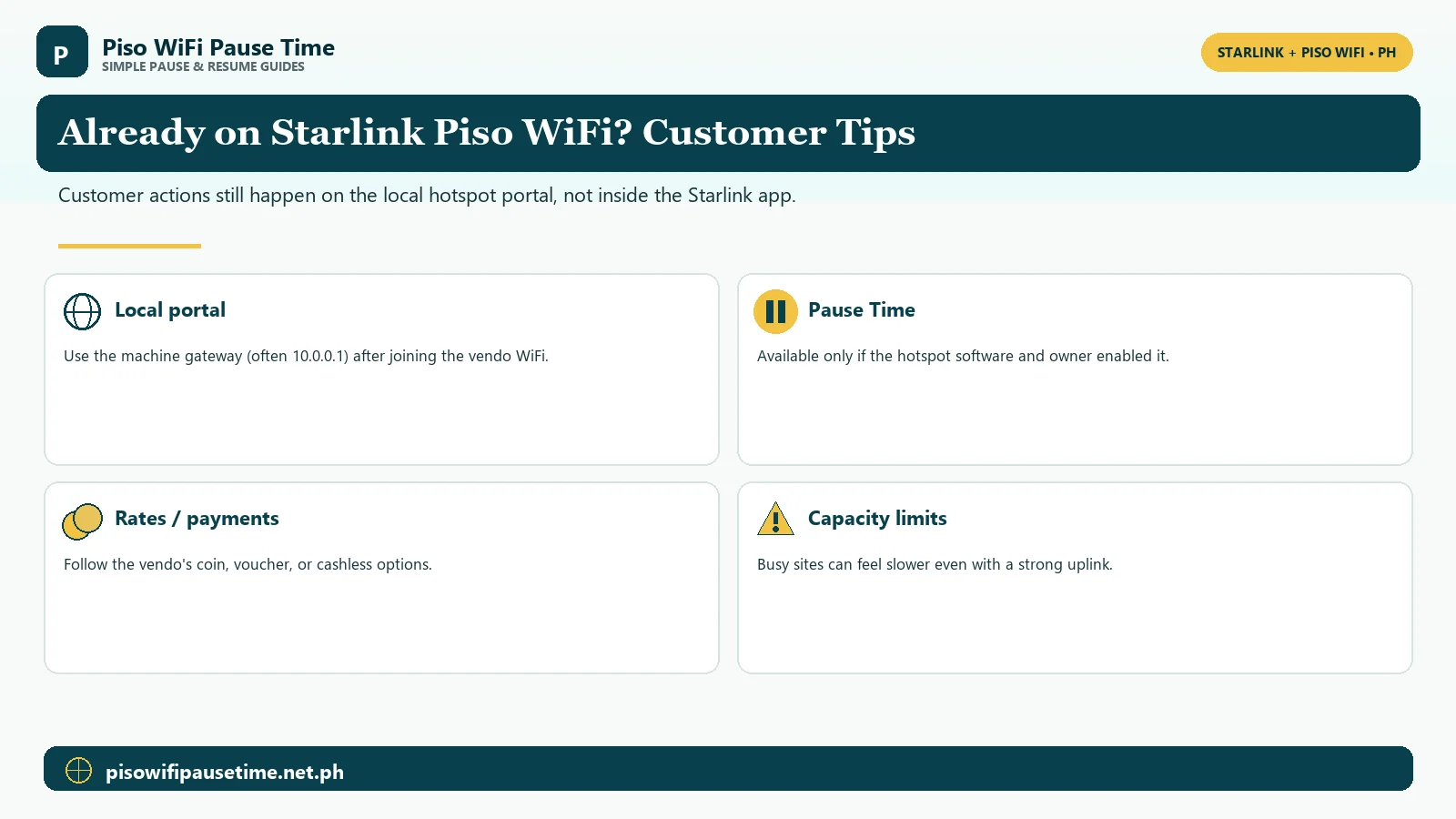
The address 10.0.0.1 may be used as the local customer portal or gateway address in a Piso WiFi setup. It depends on how the operator configured the router and vending software. It is not a universal Starlink login address.
What Is 10.0.0.1 in a Starlink Piso WiFi Setup?
10.0.0.1 is a private local network address. A Piso WiFi operator may configure the vending system to use it for the customer portal. When a customer connects to the machine's WiFi network, the portal may let them pay, enter a voucher, check a session or use supported Pause and Resume controls.
The address does not identify the Starlink account. Starlink account management is handled separately through Starlink's own website and app.
http://10.0.0.1
How to Open the Starlink Piso WiFi Login Page
- 1
Turn on WiFi on your phone or laptop.
- 2
Connect to the correct Piso WiFi network.
- 3
Open a web browser.
- 4
Enter http://10.0.0.1 in the address bar.
- 5
Wait for the customer portal to load.
- 6
Follow the instructions shown on the page.
What If the 10.0.0.1 Login Page Does Not Open?
- Make sure you are connected to the correct Piso WiFi network.
- Confirm that the WiFi connection is active.
- Enter the address directly into the browser address bar.
- Check whether the machine uses a different local gateway address.
- Disconnect and reconnect to the same network.
- Try another browser or device.
- Ask the machine operator whether the portal is working.
If you are connected to a different WiFi network, the local address may not open the Piso WiFi portal.
Is 10.0.0.1 the Same as Starlink Account Login?
No. They are different systems.
| Login type | Purpose |
|---|---|
| Piso WiFi customer portal | Payment, voucher and customer session access |
| Piso WiFi admin dashboard | Owner settings and vending management |
| Starlink account | Starlink service, subscription and account management |
Customer tip: If your goal is to access paid WiFi, connect to the machine's network first. Opening the local portal while connected to another network may not work.
11. What Is the Starlink Piso WiFi Admin Login?
Is the Piso WiFi Admin Login Different From the Customer Login?
Yes. The customer portal is designed for people buying internet access. The admin dashboard is designed for authorized people managing the machine. The admin address, login method and available features depend on the router, controller and software.
What Can an Operator Manage From the Admin Dashboard?
Depending on the platform, an operator may be able to manage customer sessions, rates, vouchers, payment options, connected devices, bandwidth limits, pause permissions, session expiry and activity logs.
Where Do You Find the Correct Admin Login for Your System?
- 1
Identify the exact Piso WiFi platform and router model.
- 2
Check the documentation supplied with the machine.
- 3
Use the official instructions for the installed software.
- 4
Ask the equipment supplier for the correct owner setup procedure.
- 5
Confirm that you are using authorized admin access for your machine.
What If You Cannot Access the Admin Dashboard?
Check that you are connected to the correct management network and using the correct dashboard address. If the login still fails, consult the platform provider or equipment supplier. Avoid guessing credentials or using unofficial bypass instructions. Never share owner credentials with customers.
12. What Is Starlink Piso WiFi Pause Time and How Do You Use It?
Piso WiFi Pause Time is a feature that can suspend an eligible customer session so its remaining time is not used while the session is paused.
Pause Time belongs to the Piso WiFi software or firmware, not to Starlink. Starlink provides the internet connection, while the vending platform manages the customer's session. Not every machine supports the same pause behaviour.
- 1
Connect to the correct Piso WiFi network.
- 2
Open the configured customer portal.
- 3
Find the Pause option.
- 4
Select Pause if the control is available.
- 5
Follow the on-screen instructions.
- 6
Check whether the session status has changed.
If there is no Pause button, the operator may have disabled the feature or the current session may not support it.
- 1
Reconnect to the same machine's WiFi network.
- 2
Open the customer portal.
- 3
Find the Resume option, if available.
- 4
Select Resume.
- 5
Check the remaining time or data displayed by the system.
Why Is the Pause Button Missing?
- The vending platform does not support customer-controlled Pause.
- The operator has disabled the feature.
- The session type does not allow pausing.
- The session has expired.
- The software version uses a different pause process.
- The machine is not configured to show the control.
Does Pause Time Work the Same Way on Every Piso WiFi Machine?
No. Different platforms and configurations can use different pause rules. AdoPiSoft documentation describes settings for pausing sessions when a device disconnects or becomes inactive, then automatically resuming the session when it reconnects. It also documents pause limits and session expiry settings.
That behaviour is not necessarily the same as a customer manually pressing a Pause button. AdoPiSoft also distinguishes time sessions, data sessions and time-or-data sessions. These session types can affect how remaining credits are consumed.
What Is the Difference Between Manual Pause and Automatic Pause?
| Feature | How it works |
|---|---|
| Manual Pause | Customer selects a Pause control when the platform provides one. |
| Pause on disconnection | Platform pauses an eligible session when the device disconnects, if configured. |
| Automatic Resume | Platform resumes an eligible session when the device reconnects, if configured. |
| Session Expiry | Session becomes invalid after its configured expiry condition. |
Important: A paused session is not necessarily available forever. Expiry rules, pause limits and remaining-time conditions may still apply.
Customer tip: If you paid for a session and cannot resume it, keep your payment details and contact the machine operator. A website guide cannot directly restore a session or add minutes to the operator's system.
Sources: AdoPiSoft session settings and AdoPiSoft session types.
13. How Do Starlink Piso WiFi Rates, Coins and Cashless Payments Work?
A Piso WiFi operator sets the prices and session options offered to customers. The vending system then connects the payment to an internet session. There is no single official nationwide Starlink Piso WiFi rate card.
How Are Piso WiFi Rates Set?
An operator may offer different payment amounts and session durations. These are operator-configured offers, not official Philippine rates. When choosing rates, consider Starlink service and data expenses, electricity, equipment and maintenance, local customer demand, nearby internet alternatives and payment or software fees.
How Does Coin Payment Activate a Piso WiFi Session?
- The customer connects to the machine's WiFi.
- The customer opens the captive portal.
- The customer selects an available payment option.
- The customer inserts the required coins.
- The coin acceptor detects the payment.
- The vending controller and software process the transaction.
- The system credits the customer's session.
- The customer receives internet access.
The payment being detected is not the same as the customer session being activated. The software must successfully credit the session.
How Do Piso WiFi Vouchers Work?
A voucher is a code that can provide access under the rules of the vending platform. A customer connects to the network, opens the portal, selects the voucher option, enters a valid code and submits it. The system then processes the code and activates the session if it is valid.
Can Starlink Piso WiFi Accept GCash or Maya?
A Piso WiFi machine may support cashless payments such as GCash or Maya if the operator has configured a compatible payment integration. Not every machine accepts these payment methods. Check the options displayed on the actual customer portal.
- Check whether the payment was confirmed.
- Check whether the customer portal shows an active session.
- Refresh the portal if the operator's instructions allow it.
- Reconnect to the correct machine WiFi.
- Keep the transaction reference or payment confirmation.
- Contact the machine operator if the session was not credited.
Do not pay a second time immediately if the first transaction may already have been processed.
Operator tip: Test the complete payment process regularly. Check both the payment record and customer session record so payment failures and session-crediting problems can be identified.
14. How Much Data Does Starlink Piso WiFi Use?
Starlink data usage depends on what customers do while connected. Browsing, messaging, streaming, downloads and software updates can all contribute to the total. The number of connected devices alone does not tell you exactly how much data your business will use.
What Uses Data on a Starlink Piso WiFi Network?
- Web browsing and social media.
- Video and music streaming.
- Online gaming and video calls.
- App and operating-system updates.
- File downloads and background device activity.
A customer who mainly sends messages may use much less data than someone who streams video or downloads large files.
How Does Starlink Priority Data Work?
Priority plans include a defined data arrangement. Operators should monitor usage through their Starlink account or app. Starlink's Philippine support information describes options that include checking Priority data consumption, receiving usage notifications when enabled, purchasing additional data blocks, using available auto top-up settings and adjusting recurring data amounts for a future billing cycle.
What Happens When Starlink Priority Data Runs Out?
Starlink's Philippine Priority data guidance states that once the monthly Priority data limit is exhausted, speeds are reduced to up to 1 Mbps download and 0.5 Mbps upload unless additional data is purchased.
The customer may still have time remaining in a Piso WiFi session, but the internet connection can be affected by the Starlink data condition. Operators should monitor Starlink data separately from customer session credits.
How Can Operators Estimate Monthly Data Requirements?
Estimated monthly data = average data used per customer per day × average active customers per day × operating days per month
For example, if you estimate an average of 0.5 GB per customer per day and expect 20 active customers per day for 30 days:
0.5 GB × 20 × 30 = 300 GB estimated monthly usage
This is only an example calculation. Actual usage can be much higher or lower depending on streaming, downloads, customer behaviour and how you define an active customer.
How Can Operators Reduce Unexpected Data Consumption?
- Monitor Priority data usage regularly.
- Review usage during busy hours.
- Check whether customers are using large downloads or streaming.
- Configure suitable bandwidth policies where supported.
- Plan the data allowance using actual usage rather than guesses.
- Review top-up charges before enabling automatic purchases.
Key tip: Do not confuse a Piso WiFi time package with a Starlink data package. One controls the customer's paid session; the other controls the upstream internet service.
Sources: Starlink Philippines Priority data support and Starlink Philippines support.
15. How Many Customers Can Starlink Piso WiFi Support?
There is no single customer limit that applies to every Starlink Piso WiFi setup. The practical number of simultaneous users depends on Starlink service conditions, available data, the router, access points, network configuration and what customers are doing online.
What Determines the Number of Simultaneous Piso WiFi Users?
- Starlink service performance and Priority data status.
- Router processing capacity and access point capability.
- Bandwidth settings and WiFi signal coverage.
- Number of active devices and customer activity.
- Interference from nearby networks and network congestion.
A network used mainly for messaging and browsing has different requirements from one where many customers stream video or download large files.
Does Starlink Have a Fixed Maximum Number of Piso WiFi Customers?
Do not assume that Starlink has one universal customer number for every installation. The practical number depends on the complete network, not only the satellite connection. A router may also have its own connected-device or user limit.
How Do Streaming, Downloads and Gaming Affect Other Users?
All customers share available network resources. Large downloads and video streaming can use more bandwidth and data than basic browsing. When many customers are active at the same time, the network may become congested.
How Can an Operator Test Real-World Customer Capacity?
- 1
Start with a small number of test devices.
- 2
Connect devices using realistic customer activities.
- 3
Test browsing, video and downloads.
- 4
Increase the number of simultaneous devices gradually.
- 5
Observe router performance and customer experience.
- 6
Repeat the test during busy hours.
- 7
Adjust bandwidth and network settings where supported.
Key tip: Use real load testing rather than advertising a customer limit based only on Starlink kit or router specifications.
16. Is Starlink Available in Your Area of the Philippines?
Starlink availability depends on the service address and current network conditions. Do not assume that service is available simply because another location in the same province or city uses Starlink.
How to Check Starlink Availability at Your Address
Use the official Starlink website and enter the address where you intend to install the equipment. Review the service options and current checkout information. Availability and plan options can differ by location.
Does Your Location Have a Suitable Place for the Starlink Dish?
- Check whether the dish has a suitable view of the sky.
- Look for trees, buildings or other obstructions.
- Choose a secure mounting location.
- Check cable routing and power availability.
A location can be within the service area but still have installation problems because of physical obstructions.
Can Starlink Support Piso WiFi in Rural or Remote Areas?
Starlink may be worth considering in rural or remote locations where suitable fixed broadband is unavailable. However, an operator must still check availability, resale permission, installation conditions, data allowance, recurring cost and local demand.
How Are Public Connectivity Projects Different From Private Paid Piso WiFi?
Government-supported connectivity projects and privately operated Piso WiFi businesses are different arrangements. PhilSA's INCENTIVISE project was established to evaluate non-geostationary satellite internet applications in areas such as disaster response, education, telecommuting, telehealth and e-commerce.
That public connectivity work does not automatically authorize a private operator to resell a Starlink subscription. Private paid hotspot operations must still follow the applicable service terms.
Source: Philippine Space Agency (PhilSA).
17. Is a Starlink Piso WiFi Business Profitable?
A Starlink Piso WiFi business may generate revenue when customers pay to use the service, but profitability depends on customer demand and the complete cost of operation. Do not judge a business by daily revenue alone. Subtract expenses before estimating profit.
What Determines Starlink Piso WiFi Revenue?
- Number of paying customers and transactions.
- Operator-selected rates and average session value.
- Operating hours and location.
- Repeat customers and local demand.
- Competition from other internet services.
What Are the Monthly Expenses of a Starlink Piso WiFi Business?
Include Starlink monthly service, additional Priority data if needed, electricity, software or platform charges, payment-processing fees, repairs, maintenance, site rent and other operating expenses.
How Do You Calculate Monthly Revenue and Profit?
Monthly revenue = total customer payments received during the month
Estimated monthly operating profit = monthly revenue − monthly operating expenses
For a simple example, assume monthly customer payments of ₱30,000 and monthly service and other operating expenses of ₱18,000.
₱30,000 − ₱18,000 = ₱12,000 estimated operating result
This is an example only, not a prediction. It may not include taxes, financing costs or recovery of the initial equipment investment.
How Long Could It Take to Recover the Initial Investment?
Estimated payback period = initial setup investment ÷ monthly operating profit
For example, if an operator invests ₱48,000 and the business produces an estimated ₱8,000 monthly operating profit, the simple payback estimate is six months. This assumes the monthly result stays the same. Actual results can change.
Are Claims of ₱500–₱3,000 per Day Guaranteed?
No. Daily income claims should not be treated as guaranteed or typical results. Actual revenue depends on location, customer demand, prices, operating hours and competition. Profit is lower after expenses are deducted.
Key tip: Calculate your own expected revenue using realistic customer numbers and actual local costs. Do not buy equipment based only on a seller's earnings estimate.
18. How to Run and Maintain a Starlink Piso WiFi Business
Starting the system is only one part of operating a Piso WiFi business. You also need to monitor service, payments, equipment and customer sessions.
What Should You Check Before Buying a Piso WiFi Package or Franchise?
- Which Starlink and vending equipment are included.
- Whether the router and controller are included.
- Which software and licence are supplied.
- Whether payment integrations are included.
- What installation, warranty and support are provided.
- Whether recurring charges apply.
- Who controls the Starlink account and equipment.
What Business Registration and Local Requirements Should Operators Check?
Check the applicable business and local requirements before opening. Depending on business structure and location, relevant matters may include business registration, tax registration and obligations, local business permits, barangay or local government requirements, and other rules that apply to the activity.
The process may differ for a sole proprietor and a registered company. Requirements can also vary by local government unit. Check with the relevant government authorities rather than treating a generic online checklist as final legal advice.
How Should Operators Monitor Starlink and Piso WiFi Performance?
Starlink service monitoring
connection status, Priority data consumption, additional data purchases and service notifications.
Piso WiFi system monitoring
customer sessions, payments and vouchers, session crediting, connected devices, Pause and Resume behaviour, router/controller status and activity logs.
This separation helps identify whether a problem comes from Starlink or the vending system.
How Should You Maintain the Dish, Router and Vendo Machine?
- Inspect dish mounting and physical condition.
- Check cable and Ethernet connections.
- Check the router, power supply and access point.
- Inspect the coin acceptor and vending controller.
- Review software and configuration.
- Check backup power, if installed.
- Keep a record of equipment models and software versions.
How Can You Troubleshoot Common Starlink Piso WiFi Problems?
| Problem | What to check |
|---|---|
| 10.0.0.1 does not open | Correct WiFi network, configured gateway and local connection |
| Portal opens but there is no internet | Starlink status, WAN cable and router configuration |
| Payment accepted but no time is added | Payment confirmation and customer session record |
| Pause button is missing | Platform, session type and operator settings |
| Resume does not work | Session expiry, remaining credits and platform behaviour |
| Internet becomes slow | Priority data status, peak-hour demand and local network load |
| Vendo machine is offline | Power, router, cables and internet connection |
| Coin payment is not detected | Coin acceptor, controller connection and vending configuration |
If the problem affects customer payments or sessions, check the machine's transaction records before changing settings. Avoid resetting equipment without understanding what configuration may be lost.
19. Frequently Asked Questions About Starlink Piso WiFi
What is Starlink Piso WiFi?
Starlink Piso WiFi is a paid WiFi service that uses Starlink as its internet connection and a separate Piso WiFi vending system to manage customer access, payments and sessions.
Can I use Starlink for a Piso WiFi business in the Philippines?
The answer depends on the service plan and applicable Terms of Service. Starlink's Terms describe a community WiFi or hotspot resale provision for Priority Plan purchasers. Do not assume every Starlink plan allows paid resale.
Which Starlink plan allows paid community WiFi or hotspot resale?
Starlink's Terms describe the community WiFi or hotspot resale provision for customers who purchase a Priority Plan. Check the current agreement and exact plan conditions before operating.
Can I use Starlink Residential for Piso WiFi?
Do not assume Residential service permits paid hotspot resale. Check the applicable Starlink Terms and use a plan that expressly covers the intended activity.
How much does Starlink Piso WiFi cost in the Philippines?
The total cost depends on Starlink hardware, the vending machine, router, software, installation, accessories and monthly service. Get current quotations and calculate one-time and recurring costs separately.
What is the Starlink Piso WiFi login address?
Some Piso WiFi machines use http://10.0.0.1 as their local customer portal address. The actual address depends on the operator's router and software configuration.
How do I open 10.0.0.1 on my phone?
Connect your phone to the correct Piso WiFi network, open a browser and enter http://10.0.0.1 in the address bar if that is the machine's configured portal address.
Is 10.0.0.1 the Starlink admin login?
No. It may be a local Piso WiFi customer portal address. Starlink account management is separate and is handled through the Starlink website or app.
What is Starlink Piso WiFi Pause Time?
Pause Time is a Piso WiFi session feature that can stop the countdown of an eligible customer session. Its availability and behaviour depend on the vending software and operator settings.
How do I resume my Piso WiFi session?
Reconnect to the same machine's WiFi network, open its customer portal and select Resume if the feature is available and your session is still valid.
Why is the Pause button missing?
The platform may not support manual Pause, the operator may have disabled it, or the session type or software configuration may not allow it.
Does Starlink Piso WiFi support GCash and Maya?
Some machines may support GCash or Maya through a compatible payment integration. Availability depends on the vending platform and operator configuration.
Does Starlink need an Ethernet Adapter?
Some Starlink kits require an Ethernet Adapter, while others have built-in Ethernet. Check the exact Starlink hardware model before buying an adapter.
Do I need to enable Bypass Mode?
Not always. Bypass Mode disables the built-in Starlink WiFi and is required for some hardware arrangements, but other configurations use native Ethernet without the same requirement. Follow the instructions for your specific kit.
How many users can connect to Starlink Piso WiFi?
There is no universal customer limit for every setup. Practical capacity depends on Starlink service, the router, access points, bandwidth settings, data usage and simultaneous customer activity.
What happens when Starlink Priority data runs out?
Starlink's Philippine Priority data guidance states that speeds are reduced to up to 1 Mbps download and 0.5 Mbps upload after the Priority data limit is exhausted, unless additional data is purchased.
Can I use Starlink in a rural Philippine location?
Starlink may be an option where suitable fixed broadband is unavailable, but check availability at the actual address, dish placement, plan permission, data costs and local business demand.
Official Sources and Further Reading
Use the official documentation below to verify current terms, plan details, equipment instructions and platform features. Service prices, plan availability and software features can change.
- Starlink Terms of Service — service terms and resale conditions.
- Starlink official website — current Philippine availability and checkout offers.
- Starlink Support — hardware, account and service guidance.
- Starlink third-party router guide — Ethernet and router connection methods.
- Starlink Bypass Mode guidance — built-in WiFi and third-party router arrangements.
- AdoPiSoft session settings — session, pause and resume configuration.
- AdoPiSoft documentation — session types and platform guidance.
- JuanFi official website — platform and release information.
- Philippine Space Agency — INCENTIVISE project information.
This guide is general information, not confirmation of an individual Starlink account's contractual permission, a quote for current service prices, or a guarantee of business performance. Verify current terms and equipment requirements with the relevant provider.
Before you invest: Confirm the Starlink plan's resale permission before buying vending equipment. Then check hardware compatibility, choose suitable Piso WiFi software and test the complete customer experience before accepting payments.