Piso WiFi Rate Calculator – Calculate and Compare Piso WiFi Rates
Calculate how many minutes your payment buys, check the effective cost per hour, and compare different rates using the figures displayed on your machine.
1. Piso WiFi Rate Calculator
Calculate your Piso WiFi rate
Use the actual package displayed by your machine.
Estimated time for another payment
₱5 —
₱10 —
₱20 —
Enter the payment and time shown on the machine. The calculator uses your values; it does not assume a standard or official Piso WiFi rate.
There is no single fixed Piso WiFi rate for every machine in the Philippines. The amount of time you receive depends on the rate configured by the operator. Check the machine's displayed rate before paying.
Calculate the payment for your desired internet time
Use the same entered rate to estimate how much a chosen duration would cost.
Enter a rate above and your desired time.
This is a mathematical estimate. The machine may accept only specific coin amounts or package choices.
Compare different Piso WiFi rates and packages
Add the payment and duration for each package. Compare cost per hour to understand the time value of each offer.
| Package | Cost / hour | Cost / minute | Minutes / peso | Check |
|---|
Comparison is based only on the values entered. Check data caps, expiry, speed limits and Pause Time separately.
2. How to Calculate Piso WiFi Rates
You can calculate a Piso WiFi rate using the amount paid and the number of minutes received. The same basic calculations work for coin payments and fixed time packages.
Example: ₱15 for 180 minutes = ₱5 per hour.
Example: ₱10 for 120 minutes = about ₱0.0833 per minute.
Example: 120 minutes ÷ ₱10 = 12 minutes per peso.
Assumes the same rate applies to the new amount.
How many minutes or hours do you get for ₱5, ₱10 or another amount?
There is no universal answer. If a machine gives 120 minutes for ₱10, the same-rate estimate is 60 minutes for ₱5 and 240 minutes for ₱20. A real machine may use different package rates, so check its displayed options.
Why rounding matters
A calculation can produce a fraction of a minute, while a machine may offer only whole-minute values or fixed coin denominations. Treat the result as an estimate and confirm the actual package shown on the machine.
3. What Are Piso WiFi Rates in the Philippines?
Piso WiFi rates are the payment amounts customers exchange for internet access through a coin-operated or voucher-based vending system. Operators configure the available rates and packages.
There is no single national Piso WiFi rate card established by the information reviewed for this guide. A rate published by one operator is not proof of the rate used by another machine.
Why do rates differ between machines?
- Internet subscription costs and connection type.
- Location, customer demand and nearby alternatives.
- Electricity, equipment, repairs and maintenance.
- Package structure, including time, data or vouchers.
- Pause Time, expiry and other session conditions.
- The operator's own pricing decisions.
Where can you check the actual price before paying?
Check the customer portal or rate information displayed on the vending machine. Confirm the payment amount, minutes or data included, expiry conditions and whether Pause Time is available. Ask the operator if the terms are unclear.
What should a clear rate card show?
A useful rate card identifies the payment amount, time or data allowance, package limits, expiry conditions and any important restrictions. Clear information helps customers understand what they are buying.
4. How to Compare Piso WiFi Rates and Package Value
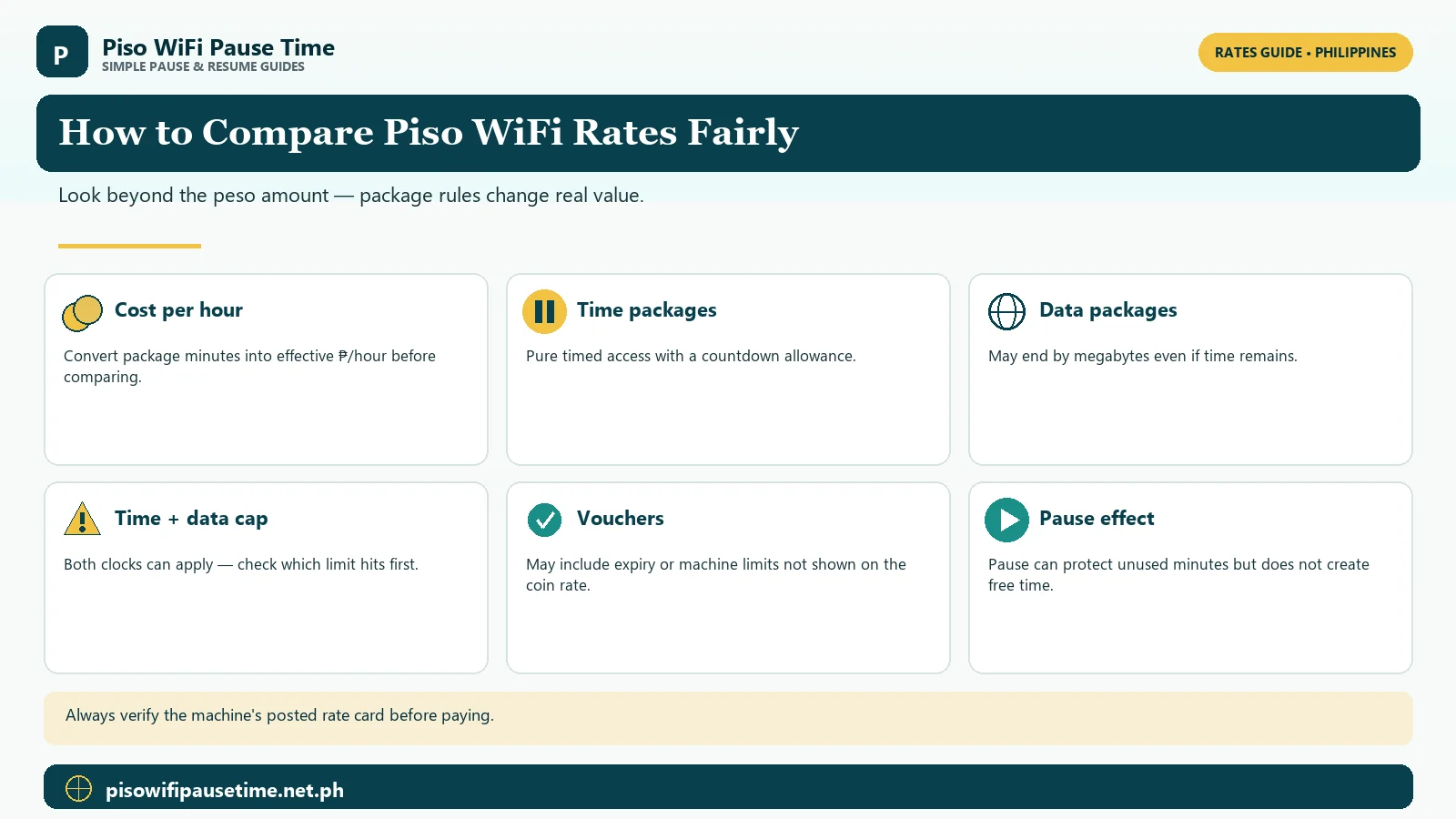
For time-based packages, compare the effective cost per hour and the time received for the same payment. Also check the conditions attached to each package.
Compare effective cost per hour
Converting packages into cost per hour makes different durations easier to compare. A lower cost per hour means you pay less for the same amount of time, based on the entered rate.
Does a higher payment always give better value?
No. A larger package does not automatically provide more minutes per peso. Calculate the effective cost per hour for each package instead of judging by the payment amount alone.
Check package conditions before comparing
- Does the package provide time, data or both?
- Can a data cap end access before time runs out?
- Does the package expire after a set period?
- Can the session be paused?
- Does a speed limit apply?
- Are there device or user restrictions?
A lower hourly cost does not necessarily mean better overall value if the package has restrictions that matter to you. Use the comparison tool above for time-based packages, then check the actual terms.
5. Piso WiFi Time Rates, Data Rates and Vouchers Explained
Piso WiFi packages can measure access in different ways. Some provide a fixed amount of time, some provide a data allowance, and others combine time and data limits.
What are Piso WiFi time rates?
A time rate gives a customer a set amount of internet session time for a payment. The session countdown determines how much time remains. Access may end when the allocated time is consumed or the session expires, according to the machine's settings.
What are Piso WiFi data rates?
A data rate provides an allowance such as MB or GB rather than a fixed number of minutes. The allowance decreases as the customer uses the internet. A time-only calculator cannot determine the effective hourly cost of a data-only package.
What is a time-with-data-capping package?
This package combines a session duration with a data allowance. Access may end when either limit is reached, depending on the system configuration. AdoPiSoft documents time rates, data rates and time-with-data-capping options as configurable software features, not national pricing standards.
What are Piso WiFi vouchers?
A voucher is a code linked to an access package. Depending on the platform and configuration, it may provide time, data, time with a data cap or a subscription-style access period. Other conditions can include speed limits, expiry, pause permission and device restrictions.
| Feature | Coin payment | Voucher |
|---|---|---|
| How the customer pays | Inserts coins | Enters a purchased or issued code |
| How access is assigned | Configured coin rates | Package assigned to the voucher |
| Package type | Depends on machine settings | May include time, data or combined limits |
| Conditions | Machine session rules | Voucher and platform settings |
Before buying a voucher, ask when its validity begins, how long it can remain unused and whether the activated session can be paused.
6. How Pause Time, Session Expiry and Internet Speed Affect Piso WiFi Value
Pause Time, expiry rules, data limits and bandwidth settings can change how a package works. The minutes displayed on a rate card are only one part of the customer experience.
How does Piso WiFi Pause Time work?
Pause Time allows a customer to temporarily stop an eligible session's countdown. When the feature is enabled and used correctly, remaining time may be preserved while paused. The customer can resume according to the machine's rules.
Does Pause Time give you more internet time?
Pause Time does not normally add minutes to the original package. It changes when the remaining session time is consumed. Availability, pause limits and expiry rules depend on the operator's configuration and software version.
What happens when a Piso WiFi session expires?
Session expiry determines when an internet session is no longer valid. It is different from the amount of time or data included in a package. A system may have a separate expiry period even when some allowance remains. AdoPiSoft documents configurable expiry and pause limits; other platforms may use different rules.
Does Mbps affect the minutes you receive?
No. Mbps measures internet speed, not purchased session time. Session time describes how long access is available; data allowance describes how much data can be used; bandwidth describes the rate at which data can be transferred.
What is the best Mbps for Piso WiFi?
There is no single Mbps value that is best for every machine. Suitable speed depends on the number of connected users, their activities, the internet plan and network configuration. Browsing, video streaming and online gaming have different network needs.
How do data caps and speed limits affect package value?
A data cap limits how much data a customer can consume. A speed limit controls how quickly the connection can transfer data. A package can have a large data allowance but a low speed limit, or a high speed limit but a small data allowance. Check both conditions before comparing packages.
7. How Owners Set and Change Piso WiFi Rates
Piso WiFi owners configure payment packages through the management software or controller installed on their machine. Available settings and menu names depend on the platform, software version and machine configuration.
Where are rate settings usually found?
Depending on the system, settings may appear under labels such as Rates, WiFi Rates, Insert Coin, Payment Settings, Time Settings or Voucher Packages. These are examples, not a universal menu path.
How do owners add or edit payment and time packages?
- Open the authorised management dashboard for the machine.
- Find the rate or payment settings supported by the installed platform.
- Review existing payment amounts and assigned time or data allowances.
- Add or edit the intended package values.
- Review related speed, expiry, pause or data-limit settings.
- Save and test the customer-facing payment process.
- Confirm the displayed rate card matches the configured package.
How do different platforms handle rates?
Its official WiFi Rates guide documents time, data and time-with-data-capping options, alongside configurable voucher and session settings.
The official LPB website describes coin-operated access, Buy Time or Buy Data options, bandwidth controls and cloud-connected session features. Available options depend on the installed version and licence.
Payment and session controls depend on the software, hardware and configuration. Consult the documentation for the installed system instead of copying another platform's instructions.
Why test rate changes before displaying them?
Confirm that the correct payment is accepted, the expected time or data is credited, the portal displays the right package information and any Pause Time or expiry conditions work as intended. Make sure the rate card matches the actual configuration.
8. How Owners Can Evaluate Their Piso WiFi Pricing
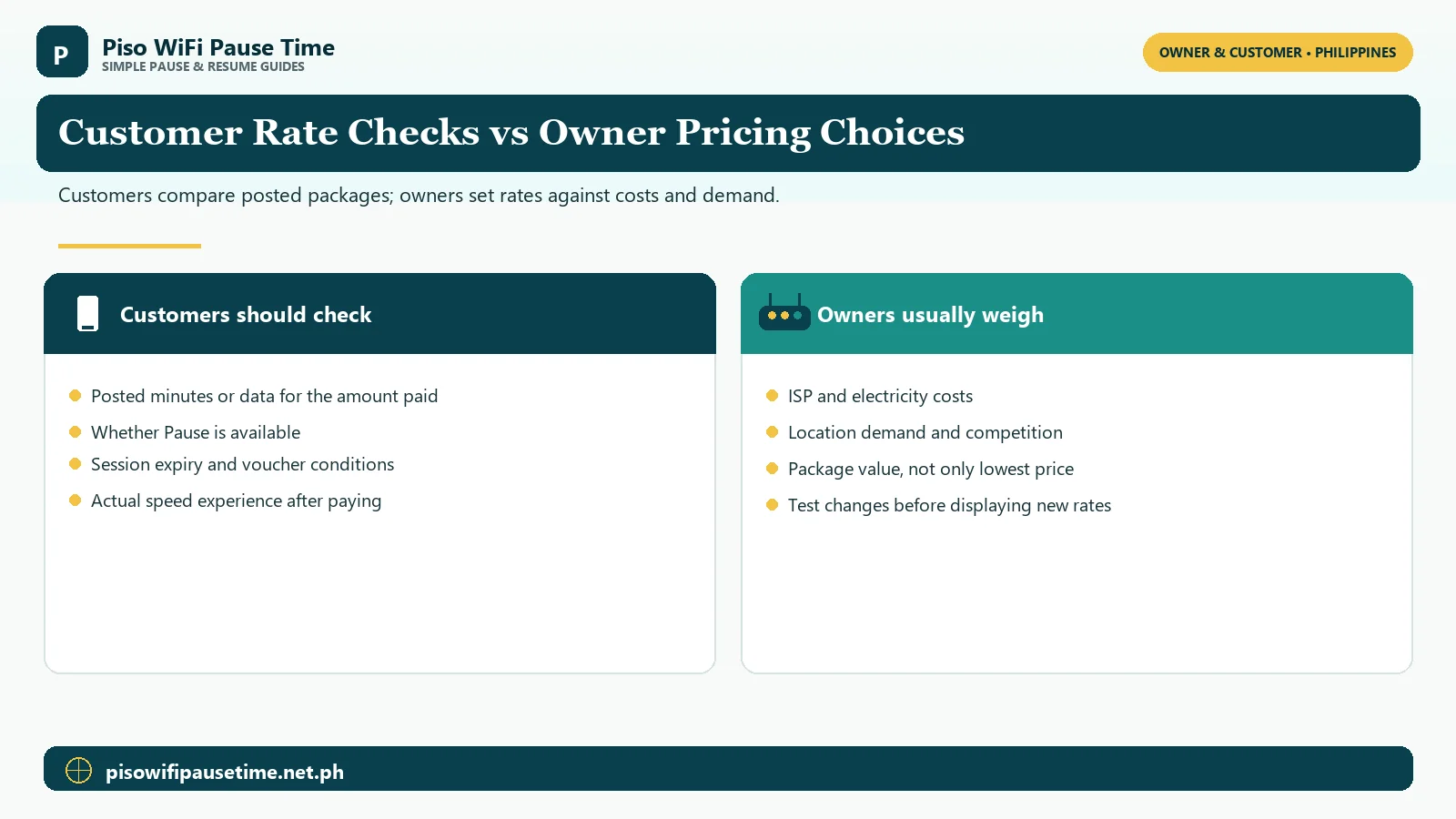
Owners should evaluate rates using actual operating costs, customer demand and package conditions. Copying another machine's price does not guarantee the same result in a different location.
Consider internet subscription costs
Include the cost of the internet plan and consider whether the connection can support the number of customers using it.
Include electricity and equipment expenses
Other costs may include electricity, router and vending-machine equipment, coin acceptor or controller maintenance, replacement parts, repairs, software or licence charges and downtime.
Consider location and customer demand
Demand can differ between a sari-sari store, school area, public market, transport terminal and residential location. Consider how long customers stay, what they use the internet for and what alternatives are nearby.
Review package value, not just the lowest price
A lower price is not always the best decision. Review whether packages are easy to understand, whether allowances match the payment and whether rates cover operating costs.
Revisit rates when conditions change
Review your rate card when internet costs, electricity, maintenance, customer demand, package types or session rules change. Use actual operating information rather than assuming a competitor's rate will work for your machine.
9. Piso WiFi Revenue, Operating Costs and Break-Even Considerations
A rate calculator measures the relationship between customer payment and internet time. It does not calculate business profit. Owners should separate gross collections from operating costs.
What is the difference between gross collections and profit?
Gross collections are total payments received before expenses. Profit is what remains after relevant costs are deducted. For example, 40 transactions with an average payment of ₱5 produce ₱200 in gross collections. This is not profit.
What costs should an owner include?
- Internet subscription.
- Electricity.
- Equipment purchase and replacement.
- Maintenance and repairs.
- Software or licence charges, where applicable.
- Downtime when the machine cannot accept customers.
How can owners estimate gross collections?
For example, 25 transactions per day × ₱5 average payment × 30 operating days = ₱3,750 in hypothetical gross collections. This is an illustration, not a forecast or earnings promise.
What is a break-even point?
A break-even calculation estimates how much revenue is needed to cover the costs included in the calculation. A simple transaction estimate is monthly operating costs divided by average payment per transaction. This simplified method does not account for every possible business cost or change in demand.
10. Piso WiFi Rate Calculator: Formulas, Assumptions and Limitations
The calculator uses the payment and duration entered by the visitor to calculate the effective value of a time-based package. It does not know a machine's actual configuration unless the user enters the displayed package information.
What formulas does the calculator use?
- Effective cost per hour: Payment amount ÷ Minutes received × 60.
- Cost per minute: Payment amount ÷ Minutes received.
- Minutes per peso: Minutes received ÷ Payment amount.
- Estimated time: New payment amount × Minutes received ÷ Original payment amount.
- Estimated payment: Desired minutes × Original payment amount ÷ Minutes received.
What assumptions should you understand?
- Payment and duration must be greater than zero.
- The entered duration must match the package shown by the machine.
- Equivalent-time calculations assume the same rate continues.
- Actual coin denominations and packages may limit payment choices.
- Rounding can make the displayed package differ from the mathematical estimate.
What does this calculator not measure?
It does not independently measure internet speed, network quality, signal strength, congestion, data consumption, data-only package value, session expiry, Pause Time settings, whether a machine credited the correct amount or the operator's actual profit.
How should you report an incorrect rate or result?
Check the payment and duration entered first. If the machine's displayed rate is unclear or does not match the credited time, contact the machine operator or seller. For a calculator issue, provide the entered payment, duration and expected result. Do not share private account information or administrator credentials.
11. Frequently Asked Questions About Piso WiFi Rates
How much is Piso WiFi per hour?
There is no fixed hourly price for every Piso WiFi machine in the Philippines. Each operator can configure different payment and time packages. Divide the amount paid by the minutes received and multiply by 60 to calculate the effective hourly cost.
What is the price of Piso WiFi?
The price depends on the machine's configured rates and available packages. Some machines accept coins, while others may also offer vouchers or data-based packages. Check the customer portal or displayed rate card before paying.
How many hours is ₱5 in Piso WiFi?
It depends on the rate set by the operator. If a machine gives 60 minutes for ₱5, you receive one hour. If it gives 90 minutes, you receive one hour and 30 minutes. Check the displayed package or enter its rate into the calculator.
What is the best Mbps for Piso WiFi?
There is no single Mbps value that is best for every machine. Suitable speed depends on connected users, their activities, the internet plan and network configuration. Mbps measures data-transfer speed, not purchased session time.
Why do Piso WiFi rates differ between machines?
Operators configure their own rates. Internet subscription costs, electricity, equipment, location, customer demand and package conditions can all influence pricing. One machine's rate is not a standard for every machine.
How do I calculate Piso WiFi rate per hour?
Divide the payment amount by the number of minutes received, then multiply by 60. For example, ₱10 for 120 minutes gives an effective cost of ₱5 per hour.
How can I change my Piso WiFi rate?
Only an authorised operator should change the machine's rates. Settings are managed through the installed platform's dashboard, often under a section such as Rates, WiFi Rates, Insert Coin or Payment Settings. Menu names differ by system.
Are time rates and data rates the same?
No. A time rate provides a session duration, while a data rate provides an allowance such as MB or GB. A combined package can have both a time limit and a data cap.
Does Pause Time affect paid minutes?
Pause Time can stop the countdown of an eligible session while paused. It does not normally add minutes to the original package. Availability and limits depend on the machine's software and owner settings.
Do Piso WiFi vouchers have expiry dates?
Some vouchers have expiry conditions, while others may be configured differently. Check when the voucher must be redeemed, when the session starts and whether a separate session-expiry period applies.
Sources and Further Reading
The following provider documentation supports the explanations of rate types, vouchers, session settings and platform features in this guide.
- AdoPiSoft – WiFi Rates Guide: Time rates, data rates, time-with-data-capping options and configurable payment values. Read the guide.
- AdoPiSoft – Session Settings Guide: Session continuation, pause and resume settings, user limits and expiry. Read the guide.
- AdoPiSoft – Vouchers Guide: Voucher types, speed, expiry, pause and user settings. Read the guide.
- LPB Piso WiFi – Official Website: Coin-operated access, Buy Time or Buy Data, bandwidth controls and cloud-connected sessions. Visit LPB.
- TP-Link Philippines – What Is Piso WiFi and How Does It Work? Background on the vending model, customer access and operator management. Read the article.
Platform documentation describes features that may be configurable on a particular system. It does not mean every Piso WiFi machine supports or enables the same features. Always check the installed software, machine configuration and displayed customer terms.