Allan Piso WiFi: Hardware, Login, Pause Time, Vouchers and Troubleshooting
Hardware brand · not one universal software
Allan Piso WiFi refers to vending machines and systems built using hardware supplied under the Allan name. These machines let customers purchase internet access using coins or other payment options supported by the installed system.
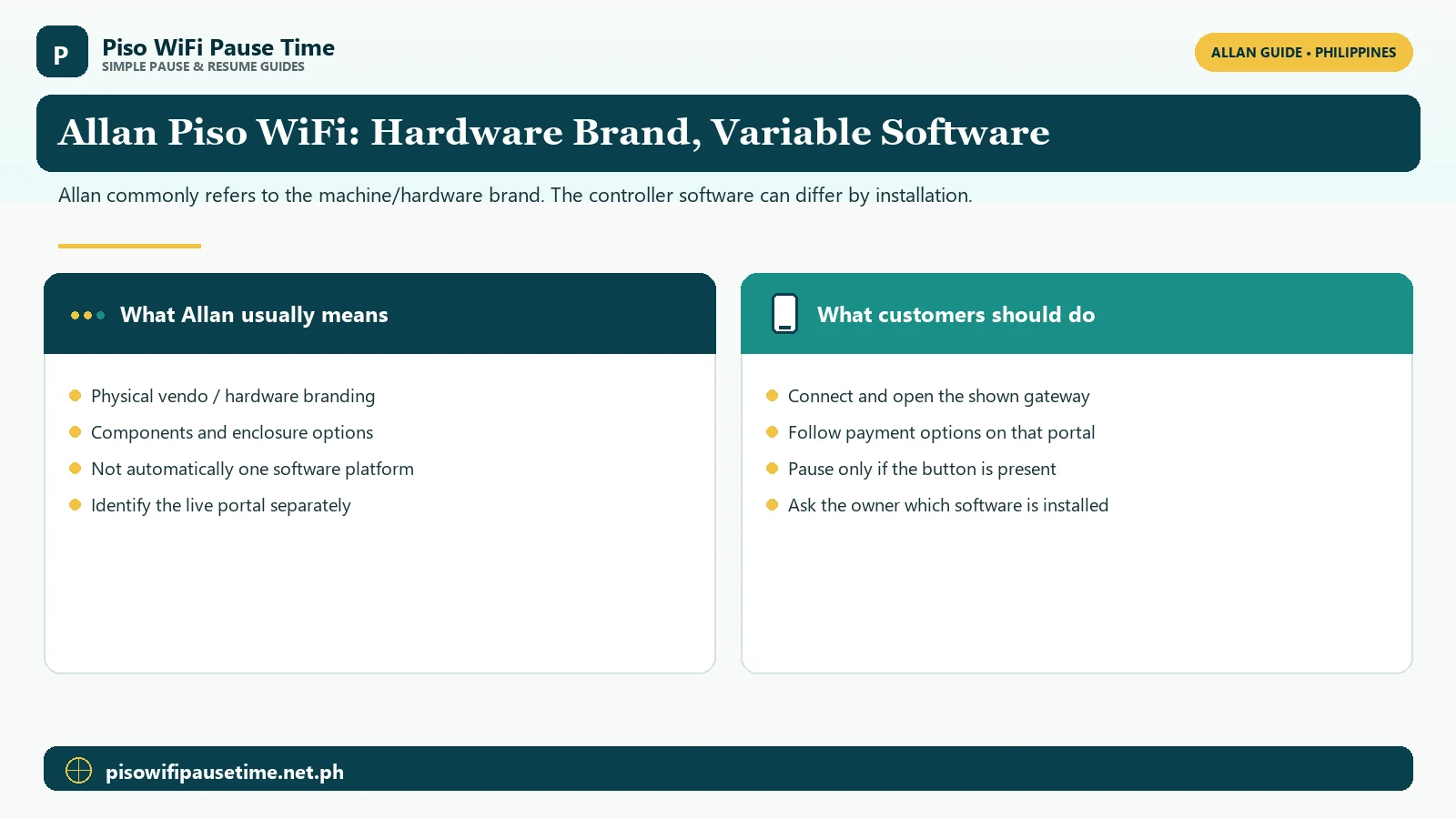
Allan is associated with hardware such as universal coinslots, main boards, custom interface boards, timers, cables, and complete plug-and-play vending packages. It is not one universal Piso WiFi software platform.
There is no verified universal Allan login address, password, customer rate, or pause limit. Check the machine's own instructions and identify the software it runs before following platform-specific steps.
Important: Allan supplies hardware. The installed Piso WiFi software and the machine owner's settings determine the customer portal, payment options, vouchers, and Pause Time rules. Not every Allan-built machine works the same way.
Allan supplies hardware such as coinslots, main boards, custom boards, and complete vending packages. The software installed on the machine controls the customer portal, payment options, voucher rules, and session features such as Pause Time.
Allan Piso WiFi machines are used to provide paid internet access through coin-operated WiFi vending systems in the Philippines. If you are using an Allan-built machine, you may want to connect your phone, open the login portal, pay for internet access, or pause your remaining time.
This guide explains how to identify the machine, connect to its WiFi network, open the customer portal, pay for internet access, and manage your session. It also explains what to do when login, payment, or Pause Time does not work.
Learn how to connect to an Allan-built Piso WiFi machine, open its customer portal, pay for internet access, and pause or resume your session when the installed software supports it.
What Is Allan Piso WiFi?
What Does Allan Piso WiFi Mean?
The name may refer to a complete vending machine, an Allan coinslot, a main board, a custom interface board, or a DIY build that uses Allan components. The exact machine depends on the hardware selected by its builder.
Is Allan a Hardware Brand or Software Platform?
Allan is a hardware brand and supplier. The installed software—such as PisoFi, LPB OS, or another compatible system—provides the customer portal and manages payment and session features.
How Does an Allan-Built Machine Work?
- 01
Coinslot detects payment
- 02
Board passes the signal
- 03
Software manages the session
- 04
Customer uses the portal
The computing hardware runs the installed software. The router or access point provides WiFi, while the customer portal displays payment and session information. The owner's configuration determines which options are available.
Remember: Two machines carrying the Allan name may have different portal designs, payment methods, and pause features.
How to Identify the Allan Piso WiFi Machine You Are Using
Start with the outside of the vending machine, its labels, or the instructions posted by the operator. Customers normally do not need to open the enclosure to identify the service.
How to Identify an Allan Coinslot
Allan coinslot product families include model names such as 1238/1238A, 1239/1239A, and 1299. Look for a model marking or ask the operator if the label is not visible. Do not assume that different models have identical wiring or compatibility.
How to Recognize an Allan Main Board or Custom Board
A main or interface board connects components such as the coin acceptor, computing hardware, power connections, timers, and indicators. Exact functions depend on the board model and revision.
How to Identify an Orange Pi-Based Machine
Some Piso WiFi builds use an Orange Pi single-board computer. A documented community build combines an Orange Pi PC with an Allan 1239/1239A coinslot and an Allan custom interface board. This is one example, not a specification for every Allan machine.
Plug-and-Play Machine vs Standalone Coinslot
Standalone coinslot
One payment-detection component used in a larger machine.
Complete vending package
A more complete system containing multiple components needed for operation.
How to Connect to Allan Piso WiFi
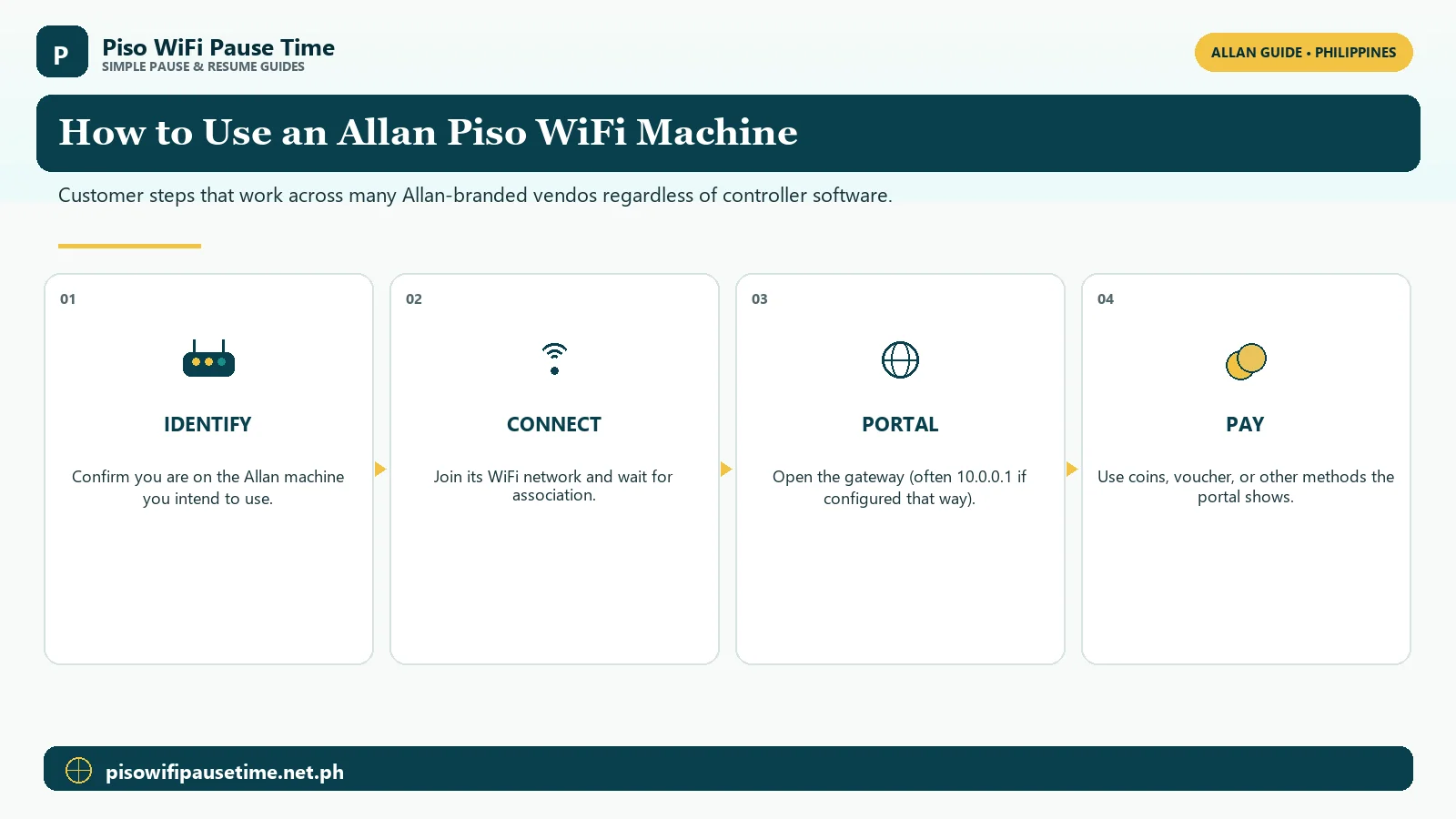
First, connect your phone or computer to the correct wireless network. The network name is also called the SSID.
How to Find the Allan Piso WiFi Network Name
- 1Turn on WiFi.
Open the wireless settings on your phone.
- 2Find the machine's network.
Look for the SSID shown on the machine or its posted instructions.
- 3Connect to the correct network.
Tap the network name and wait for the connection.
- 4Open the sign-in page.
Tap the sign-in notification if your phone displays one.
How to Connect on Android
Open Settings → WiFi or Network & Internet, turn WiFi on, select the correct Piso WiFi network, and wait for the sign-in notification. Tap it to open the portal if it appears.
How to Connect on iPhone
Open Settings → WiFi, turn WiFi on, select the machine's network, and wait for the connection. If a sign-in window appears, follow its instructions. Otherwise, open Safari and use the portal address provided by the machine.
What If the WiFi Network Does Not Appear?
- Make sure WiFi is turned on.
- Move closer to the machine.
- Refresh the available network list.
- Check the network name with the operator.
- Try another device if possible.
If the network still does not appear, the machine may have a power, router, or wireless-access-point problem. Contact the operator rather than opening the machine.
Allan Piso WiFi Login: How to Open the Customer Portal
The customer portal is the page where you follow payment instructions, start a session, and manage available session options. It is normally provided by the software installed on the machine, not by one universal Allan website.
How to Open the Customer Login Page
- 1
Connect to the correct Allan Piso WiFi network.
- 2
Wait for the automatic sign-in notification.
- 3
Tap the notification if it appears.
- 4
If it does not appear, open a browser and use the local address supplied by the machine.
- 5
Read the portal's payment and connection instructions.
Does Allan Piso WiFi Have an Online Login Website?
There is no verified universal Allan customer login website. The portal is commonly a local webpage that is available after connecting to the machine's WiFi network.
Do You Need an App?
Many installations use a browser-based customer portal, so a separate app may not be needed. Follow the machine's own instructions because access methods can differ.
Customer Portal vs Administrator Dashboard
Customer portal
Used to view payment instructions and manage an eligible customer session.
Administrator dashboard
Used by authorized owners to manage machine and software settings.
Why Is the Login Page Not Appearing?
Check that you are connected to the correct network, wait for the sign-in notification, open your browser manually, and verify the actual gateway address. If it still does not load, ask the operator to check the portal and machine.
Allan Piso WiFi 10.0.0.1 Login: Find the Correct Portal Address
10.0.0.1 is a private IPv4 address commonly used as a local gateway. Some Allan-built machines may use it, but it is not guaranteed for every installation.
10.0.0.1
Use only when it matches the gateway or instructions for your connected machine.
How to Open 10.0.0.1
- 1
Connect to the correct Piso WiFi network.
- 2
Open Chrome on Android or Safari on iPhone.
- 3
Enter
http://10.0.0.1in the address bar. - 4
Tap Go and wait for the local page.
How to Find Your Actual Gateway Address
Settings → WiFi — Open the connected network's details. Look for Gateway, Router, or IP information. Menu names vary by phone.
Settings → WiFi → ⓘ — Tap the information icon beside the connected network and look for the Router field.
Gateway vs Customer Portal
A gateway is a local network address used to reach a device or service. A customer portal is the webpage customers use. Some installations use the gateway address to open the portal; others use a local hostname or a different address.
Is 10.0.0.0.1 a Correct Address?
10.0.0.1Four numbers separated by three dots.
10.0.0.0.1No. 10.0.0.0.1 is not a valid IPv4 address. IPv4 addresses contain four numbers separated by three dots. Check the address carefully before entering it.
Why Do Some Allan Machines Use a Different Address?
The installed software and network configuration determine the local address. Some implementations may use a local hostname or another private IP address. Use the gateway shown on your device or the address supplied by the operator.
How to Pay for Allan Piso WiFi
Many machines accept coins through a physical coinslot. Other installations may provide additional payment methods. The available options depend on the installed software and the machine owner's settings.
How to Insert Coins and Purchase Internet Time
- 1Open the customer portal.
Connect to the machine and read the payment instructions.
- 2Check the available rate.
Review the displayed price and time package before paying.
- 3Insert the supported coins.
Follow the instructions shown on the machine.
- 4Confirm your credit.
Wait for the portal to show the payment or session update.
How Does an Allan Coinslot Process Payment?
The coinslot detects inserted coins and sends a signal to the connected control system. The interface board and installed software process that signal and determine the customer credit. The coinslot itself does not set every customer's rate.
How Much Internet Time Do You Get for ₱1?
There is no universal Allan Piso WiFi rate. Each machine owner sets the customer price and available packages. Check the rate displayed on the actual customer portal before inserting coins.
Can You Pay Using an E-Wallet?
Some installations may offer GCash, Maya, QR payment, or another method. These options are not guaranteed on every machine. Use only the payment instructions displayed or confirmed by the operator.
Coins Accepted but No Time Added?
- Wait briefly for the payment to process.
- Check the portal for a confirmation message.
- Record the amount and approximate payment time.
- Keep any receipt or transaction reference.
- Contact the operator and avoid paying again until the first payment is checked.
Allan Piso WiFi Voucher Codes and Promo Packages
A voucher is a code that provides internet access according to the rules configured by the machine operator. Voucher support depends on the installed software.
How to Enter a Voucher
- 1
Connect to the machine's WiFi network.
- 2
Open the customer portal.
- 3
Find Voucher, Redeem Code, or a similar option.
- 4
Enter the code carefully and submit it.
- 5
Wait for confirmation and check whether your session starts.
Why Is Your Voucher Not Working?
Check for typing errors, expiration, previous redemption, or a mismatch between the voucher and the machine. The machine may also not support that voucher type. Contact the issuer if the problem continues.
Can You Reuse a Voucher?
Not necessarily. Reuse depends on the voucher rules configured by the operator. Read the instructions before redeeming it.
Do All Allan Machines Support Vouchers and Promos?
No. Voucher and promotional features come from the installed software and operator configuration. Check the actual customer portal for available options.
What Is Allan Piso WiFi Pause Time?
Pause Time is a feature that allows customers to temporarily stop an eligible internet session. It can help when you have purchased internet time but need to leave for a while.
Does Pausing Stop Your Internet Timer?
On a properly configured pause-enabled system, pausing stops the active session countdown. Check the portal for confirmation before leaving.
Does Pause Time Consume Remaining Minutes?
The purpose of Pause Time is to preserve eligible remaining session time while paused. Exact behavior depends on the software implementation and its settings.
No. Pause Time depends on the installed software, software version, owner settings, and session eligibility. Allan hardware alone does not guarantee the feature.
Pause vs Disconnecting WiFi
Pause
Uses a portal control to change the session state when supported.
Disconnect
Disconnects your phone from WiFi. It does not automatically mean the session is paused.
Why Do Some Machines Not Have Pause Time?
The software may not support the feature, the owner may have disabled it, or the current session may not be eligible. Ask the operator whether Pause Time is available on that machine.
How to Pause Allan Piso WiFi Time
If your machine supports Pause Time, you can usually manage it through the customer portal. Button names and exact steps may differ between software platforms.
How to Check Whether Pause Time Is Available
- 1
Connect to the correct WiFi network.
- 2
Open the customer portal.
- 3
Check that your session is active.
- 4
Look for a Pause or Pause Time option.
- 5
Read any instructions shown on the page.
- 1Open your active session.
Stay connected and find the session details in the customer portal.
- 2Check your remaining time.
Note the time shown before pausing.
- 3Select Pause.
Tap the Pause button if it is available.
- 4Wait for confirmation.
Look for a Paused status, Resume button, or other confirmation.
What Are Pause Count and Pause Validity?
Pause count refers to how many times a session may be paused. Pause duration refers to how long an individual pause may last where a limit is configured. Pause validity refers to the period during which a paused session remains eligible for resumption, depending on the platform's terminology.
There is no verified universal Allan pause limit. The machine's software and owner settings determine the applicable rules. Check the portal or ask the operator.
Does the Machine Automatically Resume After Disconnecting?
Do not assume that disconnecting or reconnecting automatically resumes your session. Some systems have automatic session-handling features, while others require you to open the portal and select Resume.
How to Resume Allan Piso WiFi Time
To continue an eligible paused session, reconnect to the same machine, open its customer portal, find the existing session, and use the Resume or Continue option if available.
- 1Return to the same machine.
Connect your device to its WiFi network.
- 2Open the customer portal.
Use the correct local address or sign-in notification.
- 3Find your paused session.
Look for the previous session and its remaining time.
- 4Select Resume.
Wait for confirmation and check whether the countdown restarts.
Can You Resume Using Another Phone?
Not always. Some systems associate a session with the original device, while others may support transfer or cloud synchronization. Using the original phone is the safest option unless the operator confirms another method.
What If You Close Your Browser or Restart Your Phone?
Closing a browser or restarting a phone does not necessarily delete a session. Reconnect to the same machine and check the portal. The result depends on how the installed software identifies and stores sessions.
What If the Machine Restarts?
A machine restart can interrupt customer connections. Whether a paused session remains available depends on how the software stores and manages session information. Contact the operator if the session disappears.
Can You Recover an Expired Session?
There is no universal recovery method. If the session has expired under the machine's rules, the portal may no longer offer Resume. Contact the operator with your payment time and any receipt or reference.
Allan Piso WiFi Pause Time Not Working: Problems and Solutions
Pause problems may be related to the session, installed software, machine configuration, or network connection. A symptom alone does not prove one exact cause.
Why Is the Pause Button Missing?
The machine may not support Pause Time, the owner may have disabled it, or the current session may not be eligible. Ask the operator whether the feature is enabled.
Why Is the Pause Button Disabled?
Your session may not meet the software's pause conditions. Check whether the session is active and read any message displayed by the portal.
Why Does the Timer Continue After Pressing Pause?
The request may not have completed, the page may not have refreshed, or the session may not be eligible. Check for a Paused confirmation before leaving.
Why Is My Paused Session Missing?
You may be connected to a different machine, using another device, or the session may have expired. Try the original phone and network, then contact the operator.
Why Is the Resume Button Missing?
The session may no longer be paused or eligible, the pause period may have expired, or the portal may not recognize the previous session.
Why Did My Remaining Time Expire?
The session may not have paused successfully or may have reached its configured expiration. Ask the operator to check the session and payment information.
When to contact the operator: Contact the operator if your payment is missing, the Pause button is unavailable, your session disappears, or Resume does not work. Do not open the machine or change its internal wiring.
How to Identify the Software Installed on Allan Piso WiFi
Knowing which software is installed can help explain why a machine has a particular portal design or session feature. Allan hardware and Piso WiFi software are separate parts of the system.
Does Allan Have Its Own Piso WiFi Operating System?
Allan is a hardware brand and supplier, not a universal Piso WiFi operating system. Compatible software is installed on the machine's computing hardware and manages customer-facing functions.
What Are LPB OS and PisoFi?
LPB Piso WiFi and PisoFi are separate software systems used in vending-machine installations. Their portal designs, session features, voucher support, and pause settings can differ.
Can Allan-Built Machines Use Other Software?
Compatible Allan hardware may be used in different software configurations. A documented Orange Pi community project, for example, uses an Allan coinslot and interface board with an open-source captive-portal implementation.
How to Identify the Installed Software
- 1
Open the customer portal.
- 2
Look for a software name or logo.
- 3
Check the machine's information label and posted instructions.
- 4
Ask the operator or installer if the software is not identified.
Do not identify software only by portal color or button layout. For a broader explanation, read our Piso WiFi platforms guide.
Allan Piso WiFi Password: Customer and Admin Access Explained
Customers sometimes search for an Allan password when they cannot open a portal or access a machine. There is no verified universal Allan administrator username or password.
No verified universal Allan administrator credential has been established. The owner or installer configures access for the software installed on the machine. Avoid random credential lists found online.
Is the WiFi Password the Same as the Admin Password?
No. A WiFi password controls access to a wireless network. An administrator account controls authorized access to machine settings. The customer portal is a separate interface for internet users.
How Can an Authorized Owner Recover Access?
Owners should consult the documentation for the installed software, the installer, or the equipment seller. Identify the exact software and hardware before following recovery instructions. Customers do not need administrator access to purchase a normal internet session.
Allan Piso WiFi Hardware and Components
Allan hardware is used in different vending-machine builds. Exact product specifications and compatibility should be checked against the model and revision.
Allan 1238/1238A, 1239/1239A and 1299 Coinslots
These model families are associated with coinslot products. A coinslot detects supported coins and sends a signal to the connected control system. Check the exact product description before buying a replacement.
Allan Main Boards and H3 Boards
A main board connects the components of a vending machine. Some listings describe H3-based computing hardware. The exact operating system and software depend on the board and its installation.
Custom Interface Boards, Timers and Cables
Interface boards may connect coin signals, power, fans, timers, indicators, and other accessories. Custom cables connect compatible components. Connector and wiring requirements vary by model.
Can Allan Hardware Work With Orange Pi?
Some Allan hardware has been used in Orange Pi-based builds. One documented project combines an Orange Pi PC, an Allan 1239/1239A coinslot, an Allan custom board, Armbian, and openNDS. This does not establish compatibility with every Orange Pi model or software image.
What Other Components May Be Used?
- Router or wireless access point
- Power supply and cooling fan
- Computing board and network adapter
- Cables, connectors, and enclosure
- Optional receipt printer
Not every package includes all components. Check the seller's package description before purchasing.
Allan Piso WiFi Internet Connection, SIM, Speed and User Capacity
Does Allan Piso WiFi Include an Internet Connection?
Not necessarily. A vending package may include hardware used to distribute WiFi, but the owner may need to provide an upstream internet subscription separately.
Can Allan Machines Use PLDT, Globe or Converge?
An Allan-based machine may connect to an internet service from PLDT, Globe, Converge, or another provider. Compatibility depends on the router, network equipment, and installation.
Can an Allan Machine Use an LTE SIM Card?
Some configurations use an LTE router and SIM card for mobile internet. The supported router, cellular network, signal, and data plan depend on the owner's setup.
Why Is WiFi Connected but There Is No Internet?
You may need to complete payment and have an active session. If you have already paid, the machine may have lost its upstream connection or may have a router or software problem. Check the portal and contact the operator if needed.
Why Is Allan Piso WiFi Slow?
Speed depends on the internet plan, available bandwidth, number of active users, router, access point, distance, and network configuration. The Allan name does not guarantee a particular speed.
How Many Users Can Connect at the Same Time?
There is no universal user-capacity number for all Allan-built machines. Capacity depends on the hardware, internet connection, software, and configuration.
Does Allan Piso WiFi Work During a Brownout?
A power interruption can stop the vending machine, router, and access point. Some installations may have backup power, but this is not guaranteed. Contact the operator if your session is affected.
Allan Piso WiFi Troubleshooting, FAQs and Customer Help
Why Does the Portal Keep Loading or Redirecting?
Possible reasons include a weak WiFi signal, an incorrect portal address, browser problems, an interrupted connection, or a machine-side issue. Reconnect to the correct network and open the portal again.
Why Did the Machine Add the Wrong Amount of Time?
Record the amount inserted, approximate payment time, displayed rate, and credited time. Take a screenshot if possible and contact the operator.
Why Is My Voucher Rejected?
Check for typing errors, expiration, previous redemption, or a mismatch between the voucher and machine. Contact the voucher issuer if it still fails.
Why Is My Remaining Time Not Showing?
The session may not have started, the portal may need refreshing, the device may not be recognized, or the session may have expired. Reconnect to the correct network and check the portal.
Is It Safe to Use Allan Piso WiFi?
Use normal precautions on shared WiFi. Avoid entering sensitive passwords on websites you do not trust, check for HTTPS on important sites, and disconnect when finished.
Report a Payment or Session Problem
Hello. I used your Allan Piso WiFi machine, but my payment was accepted without adding the expected internet time.
I paid [amount] at approximately [time].
Could you please check my payment and session? I can provide a screenshot or transaction reference if needed.
Thank you.
Frequently Asked Questions
What is Allan Piso WiFi?
It refers to vending machines and systems built using Allan hardware. The installed software controls the customer portal and session features.
What is the Allan Piso WiFi login address?
There is no verified universal address. Some installations may use 10.0.0.1, but the correct address depends on the network configuration.
Does Allan Piso WiFi support Pause Time?
Some Allan-built machines may support Pause Time. Availability depends on the installed software and owner settings.
How long can Allan Piso WiFi stay paused?
There is no universal Allan pause duration. The software and session configuration determine the applicable limit.
Can I resume my session on another phone?
Not always. Some systems associate a session with the original device, while others may support transfer. Ask the operator.
Does Allan Piso WiFi have a default password?
There is no verified universal Allan administrator credential. Authorized owners should consult their software documentation and seller.
Does Allan Piso WiFi support vouchers?
Some installations support vouchers, depending on the installed software and operator configuration.
How much internet time does ₱1 buy?
The customer rate is set by the individual machine owner. Check the displayed rate before paying.
Does Allan Piso WiFi include internet service?
Not necessarily. The operator provides the upstream internet connection.
Do I need an app to use Allan Piso WiFi?
Many machines use a browser-based customer portal. Follow the instructions displayed by the machine.
Use Your Allan Piso WiFi Machine With Confidence
Start by connecting to the correct network and opening the customer portal. Check the machine's own instructions before paying or pausing a session. Remember that Allan supplies hardware, while the installed software and operator settings determine the customer experience.