Airdan Piso WiFi: Login, Portal and Pause Time Guide
Airdan Networks Corp. is a local fiber internet provider associated with Monkayo, Davao de Oro. AIRDAN HOTSPOT is an operator-side monitoring dashboard for MikroTik-based networks. These are not the same as the customer login page you need when using a hotspot.
Are Airdan Fiber Internet Plans the Same as Piso WiFi Rates?
No. Fiber internet subscriptions and Piso WiFi usage rates are different services. A fiber subscription is a monthly internet plan. Piso WiFi rates are set by the individual hotspot operator. Check the actual machine or customer portal for the price before paying.
Is Airdan a Piso WiFi Software Platform?
Airdan should not be treated as a standardized Piso WiFi software platform. The available information identifies Airdan Networks Corp. as an ISP and AIRDAN HOTSPOT as an operator-side monitoring dashboard. There is no verified public Airdan Piso WiFi manual that establishes one standard customer login page, portal address, payment process, or Pause Time feature.
AIRDAN HOTSPOT is an operator-side monitoring dashboard. Customers use the separate customer-facing hotspot portal. There is no verified universal Airdan customer portal address, password, price list, or Pause Time rule.
The customer portal, payment options, and available session features depend on the system installed by the hotspot operator. Follow the instructions displayed by the actual machine you are using.
Learn how to connect to an Airdan-associated hotspot, find its customer portal, follow payment instructions, check your session, and troubleshoot common problems.
If you are using an Airdan-associated Piso WiFi hotspot and want to connect, open the login page, pay for internet access, check your remaining time, or pause your session, this guide will help you.
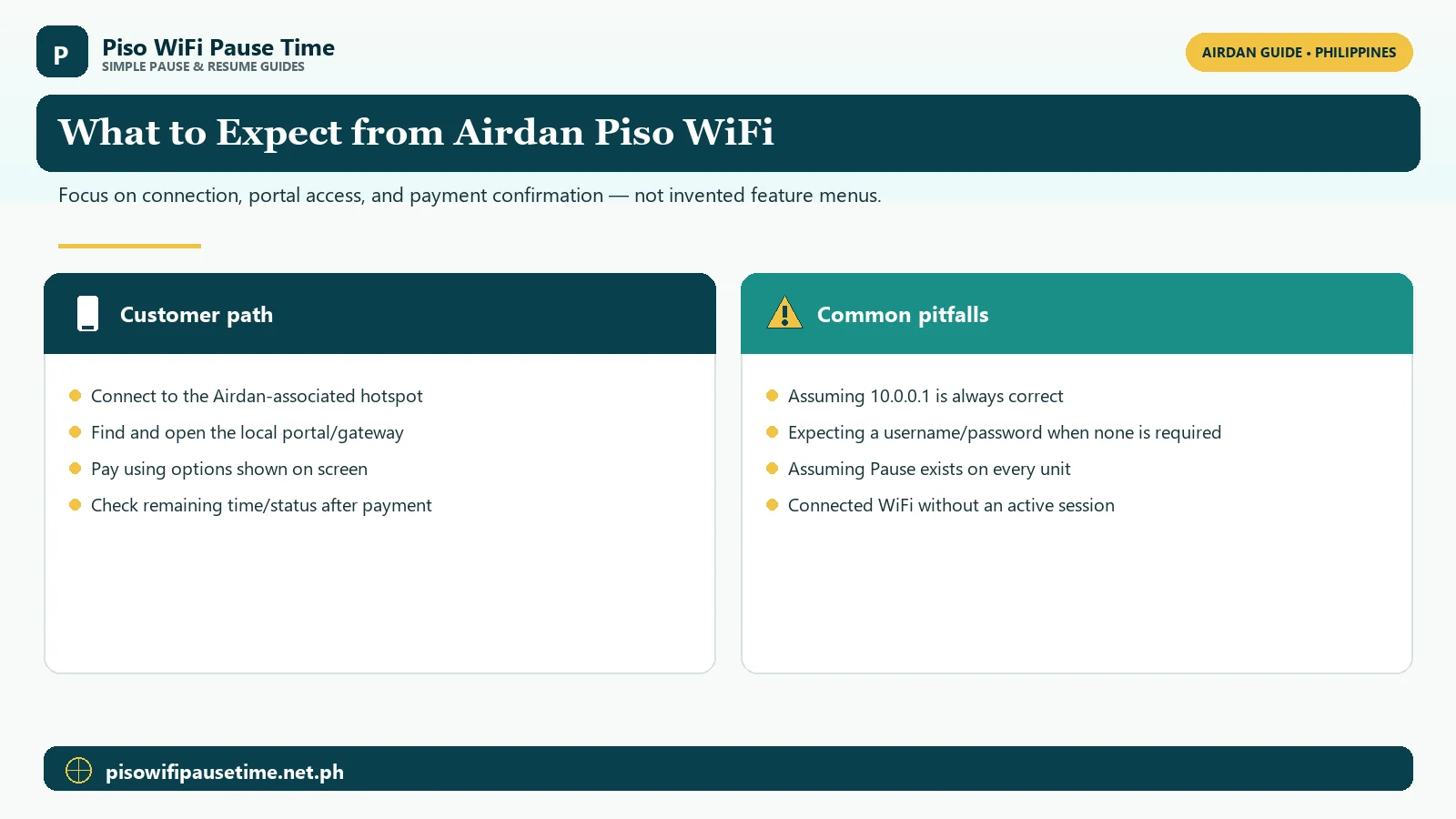
What Is Airdan Piso WiFi?
Airdan Piso WiFi refers to a hotspot service associated with the Airdan name. Customers use the wireless network to access the internet through a system configured by the local operator.
What Is Airdan Networks Corp.?
Airdan Networks Corp. is a local fiber internet service provider associated with Monkayo, Davao de Oro, Philippines. A fiber internet provider supplies internet connectivity to homes and other subscribers. This is different from a Piso WiFi service, where customers connect to a local wireless hotspot and follow the payment or login instructions provided by the operator.
What Is AIRDAN HOTSPOT?
AIRDAN HOTSPOT is an operator-side monitoring dashboard associated with MikroTik-based network infrastructure. Its documented dashboard functions include:
- Monitoring multiple router connections.
- Viewing active hotspot user sessions.
- Monitoring network interfaces.
- Viewing sales reports for individual units.
This dashboard is for authorized operators. Customers do not need to log in to it to connect to WiFi, pay for access, or check their remaining time.
How Does an Airdan-Associated Hotspot Work?
A typical MikroTik-based hotspot process may work like this:
- 1
A customer finds and connects to the WiFi network.
- 2
The phone receives network settings from the hotspot.
- 3
The customer may be redirected to a login or captive portal page.
- 4
The customer follows the available payment or authentication instructions.
- 5
The hotspot system authorizes internet access.
- 6
The session continues according to the configured rules.
How to Connect to Airdan Piso WiFi
Before opening the customer login page, connect your phone to the correct wireless network.
How to Find the Correct Airdan WiFi Network
- 1
Open the WiFi settings on your phone.
- 2
Check the available wireless networks.
- 3
Find the network associated with the hotspot you want to use.
- 4
Select the correct network and wait for your phone to connect.
How to Connect Using an Android Phone
- 1
Open Settings.
- 2
Select Network & Internet, Connections, or WiFi, depending on your phone.
- 3
Find the hotspot network and tap its name.
- 4
Wait for the connection confirmation.
- 5
Check whether a sign-in notification appears.
How to Connect Using an iPhone
- 1
Open Settings and tap WiFi.
- 2
Find the hotspot network in the available networks.
- 3
Tap its name and wait for your iPhone to connect.
- 4
Look for a sign-in notification or login screen.
What to Do If Your Phone Cannot Connect
- Make sure you selected the correct network.
- Check whether the WiFi signal is strong enough.
- Move closer to the hotspot access point.
- Turn WiFi off and on again, then try reconnecting.
- Ask the operator if the network is unavailable.
Airdan Piso WiFi Login: How to Find and Open the Customer Portal
A captive portal is a webpage that asks users to complete an access or authentication process before using the internet. The portal may display payment instructions, voucher entry, login options, or session information, depending on the installed system.
How to Open the Customer Login Page
- 1
Connect your phone to the correct hotspot.
- 2
Wait for the WiFi sign-in notification.
- 3
Tap the notification if it appears.
- 4
Wait for the customer portal to load and follow its instructions.
How to Use the Phone's WiFi Sign-In Notification
Android and iPhone devices can detect captive WiFi networks and display a notification or sign-in prompt. Tap it to open the sign-in page. If no notification appears, your phone may not have detected the portal or the network may use a different configuration.
How to Open the Portal Manually in Chrome or Safari
- 1
Make sure your phone is connected to the intended hotspot.
- 2
Open Chrome on Android or Safari on iPhone.
- 3
Try opening an ordinary HTTP webpage.
- 4
Check whether the hotspot redirects you to its customer login page.
Why Does the Piso WiFi Login Page Not Appear?
Check the network name and connect to the intended hotspot.
Try opening a browser manually.
The hotspot may use another local address.
The operator may need to check the hotspot configuration.
What If the Portal Opens as a Blank Page?
Close the blank tab, reconnect to WiFi, open a new browser tab, try another browser, and wait briefly for the page to load. If it remains blank, contact the operator rather than trying random administrator addresses.
Why Does the Portal Open on One Device but Not Another?
Different phones and operating systems may handle captive portals differently. Android may display a sign-in notification, while an iPhone may open a captive network sign-in window. Browser behavior, existing sessions, and saved browser information can also affect the experience.
How to Find the Airdan Hotspot Gateway Address
A gateway is the local network address of the router that connects your device to the network. Finding it can help when the customer portal does not open automatically. However, the gateway is not always the same as the customer portal URL.
How to Find the Gateway on Android
- 1
Open Settings.
- 2
Open WiFi or Network & Internet.
- 3
Select the WiFi network you are connected to.
- 4
Open its network details and look for Gateway, Router, or a similar field.
How to Find the Router Address on iPhone
- 1
Open Settings.
- 2
Tap WiFi.
- 3
Tap the information icon beside the connected network.
- 4
Look for the Router field.
What Is the Difference Between a Gateway and a Customer Portal?
| Term | Meaning |
|---|---|
| Gateway | The local router address used by devices on the network. |
| Customer portal | The webpage where customers complete the hotspot login process. |
| Captive portal | The system that controls access before authentication. |
| Portal URL | The webpage address used to access the customer login interface. |
Why Does My Phone Show a Different Gateway Address?
A hotspot operator can configure different private IP address ranges. Two installations may therefore show different gateway addresses. The address shown in your connected WiFi settings is more useful than assuming every installation uses one fixed address.
Is 10.0.0.1 the Airdan Piso WiFi Login Address?
10.0.0.1 is a private IPv4 address that can be used by a router or gateway on a local network. It is commonly reported in some MikroTik-based hotspot setups, but it is not a verified universal Airdan customer login address.
What Is 10.0.0.1 in Chrome?
When you enter 10.0.0.1 in Chrome, the browser tries to access a device or service using that local network address. Depending on the network configuration, it may open a router interface, a local network service, a hotspot-related page, or an error page. It is not a public website belonging to Airdan Networks Corp.
Is 10.0.0.1 a Customer Portal or Router Admin Address?
It depends on the hotspot configuration. The address may be used as a gateway, while a hotspot system may use local addresses when handling customer login requests. A router administration page and a customer portal are different interfaces.
Why Does 10.0.0.1 Not Open?
- Your phone is connected to another WiFi network.
- Your actual gateway uses a different address.
- The hotspot does not use 10.0.0.1.
- The local service is unavailable.
- The address is not intended to display the customer portal.
What Is the Difference Between 10.0.0.1 and 10.0.0.0.1?
10.0.0.1 is a valid IPv4 address containing four numbers separated by three dots. 10.0.0.0.1 contains five numbers and is not a valid standard IPv4 address.
What If 10.0.0.1 Opens an Administrator Login Page?
Do not attempt to access the router's administrator interface. Return to the customer sign-in notification or ask the hotspot operator for the correct customer portal instructions.
What Should You Do If the Correct Address Is Unknown?
Find the gateway in your connected WiFi settings. If the customer portal still does not appear, ask the operator to confirm the correct customer-facing access method.
Does Airdan Piso WiFi Require a Username or Password?
The information customers need to enter depends on the hotspot system and the operator's configuration. Some systems may use vouchers, while others may use configured customer accounts or different authentication methods. There is no verified universal Airdan customer username or password.
What Do Customers Need to Enter on the Login Page?
Read the portal instructions carefully. Depending on the system, you may be asked to enter a voucher code, provide login information issued by the operator, complete a payment process, or follow another authentication instruction. Only enter information requested by the actual customer portal.
Is There a Default Airdan Piso WiFi Password?
There is no verified universal Airdan customer password. Customers should use the payment or authentication method provided by the hotspot operator. You do not need the AIRDAN HOTSPOT administrator password to connect to customer WiFi.
Why the AIRDAN HOTSPOT Administrator Password Is Not for Customers
Customer portal
Used to authenticate and access the hotspot internet service.
AIRDAN HOTSPOT dashboard
Used to monitor and manage network information.
What to Do If Your Customer Login or Voucher Is Rejected
- 1
Check that you entered the information correctly.
- 2
Read the error message.
- 3
Check whether the voucher has already been used, if applicable.
- 4
Make sure you are using the correct customer portal.
- 5
Keep your payment confirmation and contact the operator if the problem continues.
How to Pay for Airdan Piso WiFi
The payment process depends on the hotspot operator. Some Piso WiFi systems use coin acceptors, while others may support vouchers or electronic payment methods. There is no verified universal Airdan payment method. Always follow the instructions displayed on the actual machine or customer portal.
How to Follow the Machine's Coin Payment Instructions
- 1
Connect your phone to the hotspot.
- 2
Open the customer portal.
- 3
Check the displayed payment instructions and price.
- 4
Follow the machine's coin payment process, if available.
- 5
Check whether the portal or machine confirms payment.
How to Use a Voucher If the Machine Supports It
- 1
Obtain a voucher through the method provided by the operator.
- 2
Open the correct customer portal.
- 3
Find the voucher or code entry field.
- 4
Enter the code carefully and follow the displayed instructions.
- 5
Check whether the system confirms access.
Are GCash and Maya Available?
GCash and Maya are popular electronic payment services in the Philippines. However, their availability on an Airdan-associated Piso WiFi machine has not been established as a universal feature. Check the actual machine or customer portal for available payment options. Never provide your e-wallet PIN or one-time password to a hotspot operator or an unexpected login page.
How Much Does Airdan Piso WiFi Cost?
There is no verified standard Airdan Piso WiFi customer rate. The amount you pay depends on the local hotspot operator's pricing. Do not confuse Airdan Networks' monthly fiber internet subscriptions with the cost of using a Piso WiFi machine. Check the displayed price before paying.
What to Do If Payment Is Accepted but Internet Does Not Start
- 1
Check whether the payment confirmation appeared.
- 2
Look for a voucher or transaction reference, if provided.
- 3
Reopen the customer portal.
- 4
Check whether an active session is displayed.
- 5
Reconnect to WiFi if necessary.
- 6
Contact the operator if access is still unavailable.
Should You Pay Again If Your Payment Is Not Reflected?
Avoid making another payment immediately. Check your payment confirmation and transaction reference first. Keep the evidence and ask the operator to verify the original transaction before trying again.
How to Check Airdan Piso WiFi Status and Remaining Time
Some hotspot systems provide a customer status page. It may show information about an active connection, session duration, remaining time, or data usage. The exact information depends on the installed system.
How to Open the Customer Status Page
- 1
Connect to the hotspot.
- 2
Open the customer portal.
- 3
Look for a status, account, or session option.
- 4
Open the available status page and check the information displayed.
What Does Session Uptime Mean?
Session uptime is the amount of time that the current hotspot session has been active.
Sample values only. This is not an actual Airdan customer screen or a statement of Airdan session rules.
What Does Remaining Session Time Mean?
Remaining session time is the time left before an applicable configured session limit is reached. Its presence does not prove that Pause Time is available. Some systems may not display remaining time if no applicable limit is configured.
Why Did My Airdan WiFi Session End?
Possible reasons include a configured session time limit, an inactivity timeout, a connection interruption, operator action, or another configured access limit. The exact reason depends on the hotspot configuration.
Can I Reconnect After My Session Expires?
This depends on the operator's access rules. Some systems may allow another login, while others may require another payment or a new voucher. If your session ended earlier than expected, keep your payment confirmation and ask the operator to verify your access.
Does Disconnecting From WiFi Stop the Timer?
Not necessarily. Disconnecting your phone from WiFi, logging out of a hotspot, and pausing a session are different actions. Do not assume that turning off WiFi preserves unused time.
Does Airdan Piso WiFi Support Pause Time?
Pause Time is a feature found in some Piso WiFi systems. It allows a customer to temporarily stop the use of an active session and resume it later when the system supports that function.
How to Check Whether the Pause Button Is Available
Open the customer portal and look for a button or option labelled Pause or something similar. If there is no Pause button, the system may not support customer-controlled pausing or the operator may not have enabled it.
How to Pause Your Session When the Feature Is Supported
- 1
Open the customer portal or session page.
- 2
Check that your session is active.
- 3
Find the Pause option, if available.
- 4
Follow the instructions and wait for confirmation.
How to Resume a Paused Session
- 1
Reconnect to the same hotspot.
- 2
Open the customer portal.
- 3
Find the Resume option, if available.
- 4
Follow the displayed instructions and check whether the session becomes active.
Why Is the Pause Time Button Not Showing?
- The hotspot platform may not support customer-controlled Pause Time.
- The operator may not have enabled the feature.
- The customer portal may not display session controls.
- Your session may not be in a state that allows pausing.
Why Is My Remaining Time Not Preserved?
A normal disconnection does not automatically mean your session has been paused. Turning off WiFi may simply disconnect your phone while the hotspot continues to apply its session rules. Treat your time as paused only when the system provides clear confirmation or the operator verifies it.
Can I Resume My Session Using a Different Phone?
This depends on how the hotspot identifies customers and their sessions. Some systems may associate a session with a particular device or network identity. Do not assume that unused time will automatically transfer to another phone.
What Happens If a Paused Session Expires?
The result depends on the operator's configuration. There is no verified universal Airdan pause duration or expiry period. Check the instructions displayed by your actual hotspot.
Pause Time vs Session Timeout vs Idle Timeout
| Term | Meaning |
|---|---|
| Pause Time | A feature that suspends time consumption when implemented. |
| Session timeout | A configured maximum session duration. |
| Idle timeout | A rule that can end a session after inactivity. |
| Remaining time | Time left under an applicable session limit. |
| Disconnection | Loss of connection; not necessarily a pause. |
Why Does Airdan Piso WiFi Say Connected but Have No Internet?
Sometimes a phone shows that it is connected to WiFi but cannot access the internet. Connecting to a wireless network and receiving permission to use the internet are two different things. A captive portal may require additional authentication before internet access becomes available.
Why Does WiFi Show Connected but No Internet?
Your phone may have connected to the hotspot's wireless network but may not have completed the login process. Check for a sign-in notification, open the customer portal, and complete the required authentication or payment process.
Why Did Login Succeed but Internet Access Not Start?
Possible reasons include an incomplete payment or authorization process, a session that was not activated correctly, a device network problem, or an operator-side configuration issue. Keep any payment confirmation and ask the operator to verify your session.
Why Does the Portal Open Manually but Not Automatically?
Some devices detect captive portals and open their sign-in page automatically. Other devices may not display the notification. If manual access works, follow the customer portal instructions and complete the login process.
Why Does My Phone Ask Me to Log In Again?
A hotspot may ask you to authenticate again after a session expires, you disconnect and reconnect, a saved login session is no longer valid, the device's network identity changes, or the operator's rules require a new login.
Why Does the Hotspot Say Another Session Is Already Active?
Some hotspot systems limit how many devices can use the same account at the same time. Check whether you are still connected on another device. If you cannot resolve the problem, ask the operator to verify the session.
Why Might Android and iPhone Behave Differently?
Android and iPhone devices use different methods to detect and display captive portals. One phone may show a sign-in notification while another requires manual browser access. This does not automatically mean that one device is incompatible with the hotspot.
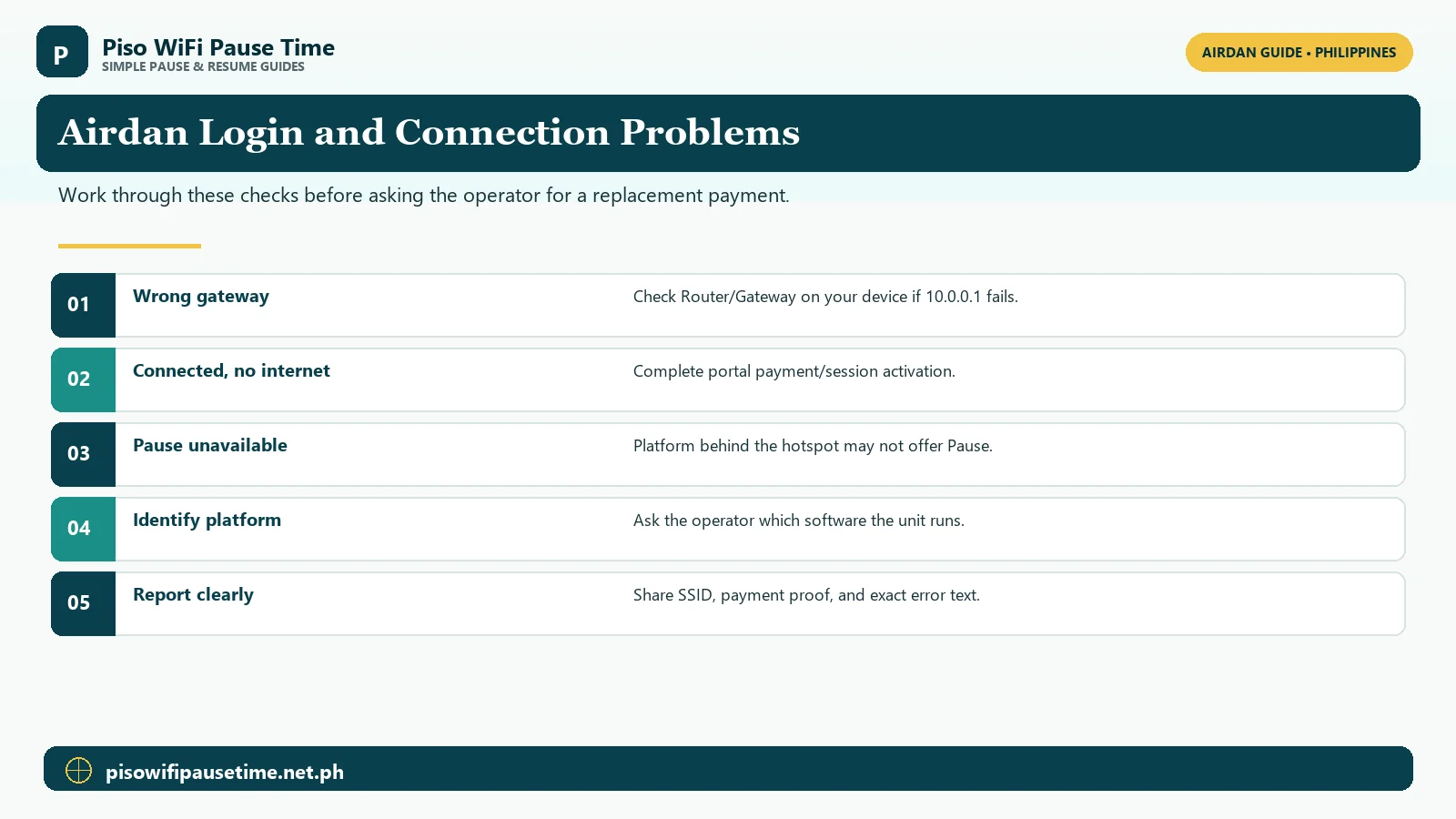
Common Airdan Piso WiFi Login and Connection Problems
Use this guide to identify what may be wrong and what you can try first.
| Problem | What to try |
|---|---|
| WiFi network cannot be found | Check the network name and move closer to the access point. |
| Customer portal does not open | Check the sign-in notification and try a browser. |
| 10.0.0.1 shows an error | Check the actual gateway in your phone settings. |
| Voucher or login is rejected | Recheck the information and contact the operator. |
| Payment completed but no internet | Keep your payment reference and request session verification. |
| Session time is missing | Check whether the system provides a customer status page. |
| Pause button is missing | Ask whether the operator supports customer Pause Time. |
Find help for your problem
Choose the issue you are experiencing to see the next steps.
- Check that you are connected to the intended hotspot.
- Look for your phone's sign-in notification.
- Open a browser and try an ordinary HTTP webpage.
- If the portal still does not appear, ask the operator to confirm the correct customer portal address.
WiFi Network Cannot Be Found
Check whether the machine is operating and whether you are close enough to receive its wireless signal. Make sure you are looking for the correct network name. If the network does not appear, contact the operator.
Customer Portal Does Not Open
Check that your phone is connected to the intended hotspot. Try the WiFi sign-in notification or open an ordinary webpage in your browser. If the page still does not open, the operator may need to check the portal configuration.
10.0.0.1 Shows an Error
Check your phone's gateway information and confirm that you are connected to the intended hotspot. The correct gateway may be different from 10.0.0.1.
Voucher or Customer Login Is Not Accepted
Check the information you entered. If you purchased a voucher, keep its reference and payment confirmation. Contact the operator if the system continues to reject it.
Payment Completed but No Internet Is Available
Keep your payment evidence. Check whether the customer portal displays an active session and ask the operator to verify the transaction if internet access does not start. Avoid making another payment until the original transaction has been checked.
Session Time Is Missing or Incorrect
Not all hotspot systems display the same session information. If the displayed time appears incorrect, take a screenshot and ask the operator to check the session.
Pause and Resume Are Not Working
Check whether the actual portal supports Pause Time. If the feature is available but does not work, ask the operator to check the session. Do not reset or change the router configuration yourself.
What Information Should You Give the Airdan Hotspot Operator?
If you cannot solve a connection or payment problem, contact the person operating the hotspot. Providing clear information can help the operator identify the problem more quickly.
Information Needed to Identify a Connection Problem
- The WiFi network name.
- Your phone type, such as Android or iPhone.
- The approximate time you connected.
- The problem you experienced.
- Any error message displayed by the portal.
- Whether you completed the login process.
What Payment Evidence Should You Keep?
- Payment amount.
- Approximate transaction time.
- Payment method.
- Transaction reference, if available.
- Voucher reference, if applicable.
- Screenshot of the payment confirmation.
How to Report a Login or Session Problem
How to Identify the Platform Behind an Airdan-Associated Hotspot
The Airdan name does not identify every part of the customer-facing hotspot system. The actual platform is important because it determines which login methods, payment options, session controls, and Pause Time features are available.
How to Recognize the Customer Portal Branding
Look for a software or platform name, a logo, a product name, or information about the available login methods. These details may help identify the system, but a logo alone may not prove which router software or backend platform is installed.
How to Identify the Available Session Features
Check whether the portal provides voucher login, session status, remaining-time information, Pause or Resume controls, and payment instructions. These features help you understand what the particular installation supports.
How to Confirm the Installed Hotspot System With the Operator
You can ask the operator which hotspot platform is installed, whether customer Pause Time is supported, how to check remaining time, which payment methods are accepted, and what to do if the login page does not open.
Frequently Asked Questions About Airdan Piso WiFi
How do I log in to Airdan Piso WiFi?
Connect your phone to the intended Airdan-associated WiFi network. Wait for the sign-in notification or open a browser to access the customer portal. Follow the instructions displayed by the hotspot operator.
How do I find the Airdan Piso WiFi portal?
Connect to the correct WiFi network and check for a captive portal notification. If it does not appear, open a browser and try accessing an ordinary HTTP webpage. The correct portal address depends on the operator's configuration.
Is 10.0.0.1 the Airdan login address?
Not necessarily. 10.0.0.1 is a private IP address that may be used as a gateway in some hotspot networks. It is not a guaranteed Airdan customer portal address.
What is 10.0.0.1 in Chrome?
It is a private IPv4 address. Entering it in Chrome attempts to access a local network device or service. What opens depends on the network configuration.
Does Airdan Piso WiFi have a default password?
There is no verified universal Airdan customer password. Follow the authentication instructions shown on your actual customer portal. Customers do not need the AIRDAN HOTSPOT administrator password.
Is AIRDAN HOTSPOT admin login for customers?
No. AIRDAN HOTSPOT is an operator-side monitoring dashboard. Customers should use the separate customer-facing hotspot portal to access WiFi.
Can I pause and resume my Airdan WiFi time?
Only if the installed hotspot system and operator configuration support customer-controlled Pause Time. Check the actual customer portal for a Pause or Resume option.
Why is my Pause button missing?
The system may not support customer pausing, the operator may not have enabled the feature, or the button may not be available on your current session page. Ask the operator to confirm.
Why does my phone say connected but no internet?
Your phone may be connected to the WiFi network but not yet authorized to access the internet. Open the customer portal and complete the required login or payment process. If you already logged in, ask the operator to check your session.
How do I check my remaining time?
If the installed hotspot system provides a customer status page, open it through the customer portal and look for remaining session time. Not every installation displays this information.
Are Airdan fiber subscription prices the same as Piso WiFi rates?
No. Airdan fiber subscriptions are ISP plans, while Piso WiFi prices are set by individual hotspot operators. Check the actual machine or customer portal for the applicable customer rate.
Airdan-associated Piso WiFi installations may not all use the same customer portal, payment method, or session settings. Follow the instructions displayed by the actual hotspot. The customer portal is for accessing WiFi; the AIRDAN HOTSPOT dashboard is for authorized network operators.