JM Piso WiFi: Seller/Installer Name — Connect, Login, Pay and Pause Time
Important: JM is a seller/installer name, not a verified standalone software platform. Portal addresses, payment options and Pause Time rules depend on the actual system installed on each machine.
Seller / installer name · not one universal software
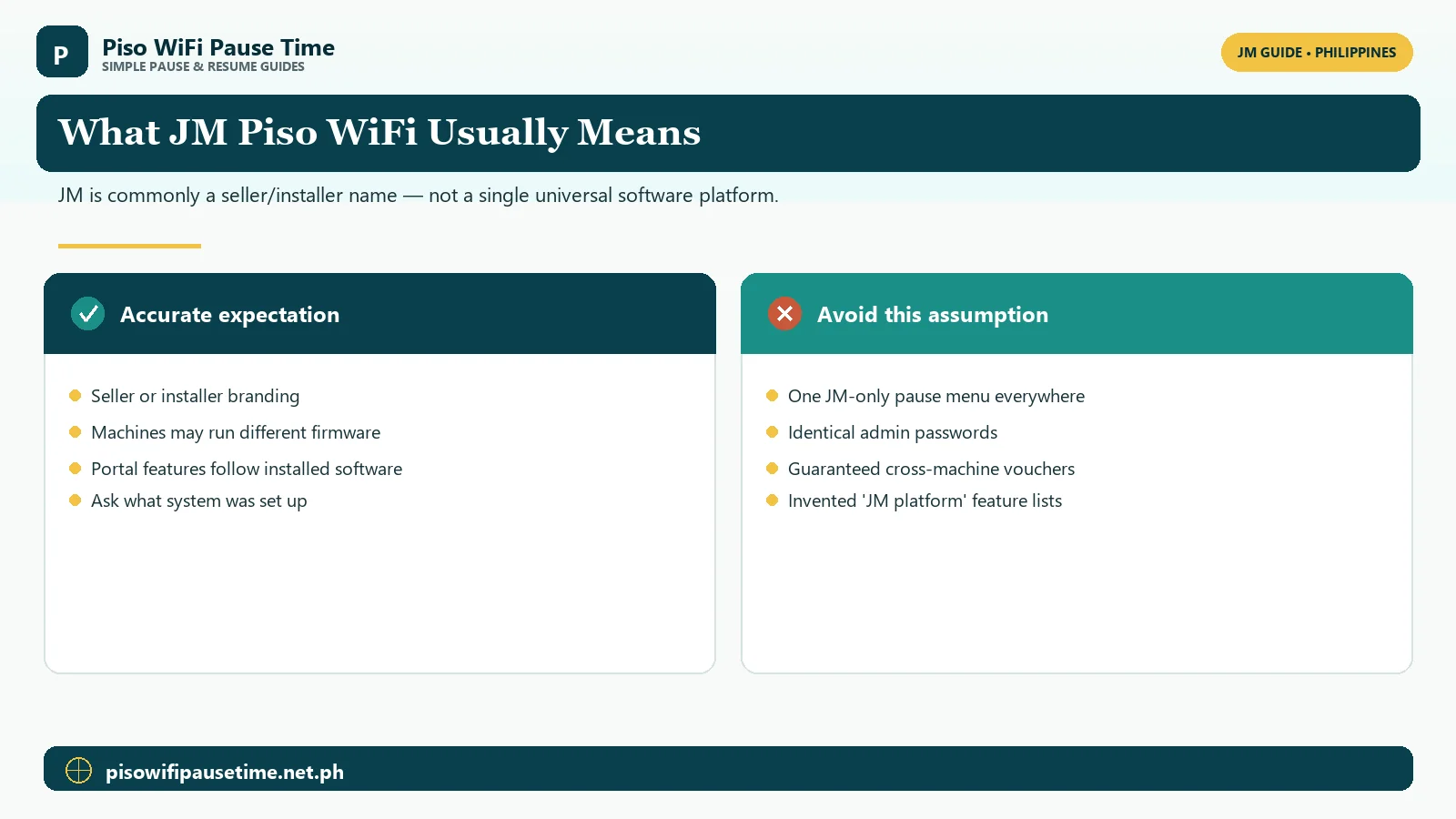
JM Piso WiFi refers to a Piso WiFi vending machine associated with a seller or installer using the JM name. It is not a confirmed, single software platform. Different local sellers may use different software and equipment.
JM Piso WiFi is a name associated with Piso WiFi vending machines sold or installed by local sellers. Customers can connect to the machine's wireless network, open its login portal, pay for internet access and use the session controls that are available.
Not every JM-branded machine works in the same way. The software, portal address, payment options and Pause Time features depend on the system installed by the seller or machine owner.
Learn how to connect to a JM-branded Piso WiFi machine, open its customer portal, find the correct local address, pay for access, pause a session when supported and solve common problems.
What Is JM Piso WiFi?
What does JM Piso WiFi mean?
The name generally identifies the seller or machine branding. It does not, by itself, tell customers which software controls the portal or session.
Is JM Piso WiFi a seller name or a software platform?
Treat JM as a seller/installer name. A JM-branded machine may use a separate system, such as an LPB or MikroTik-based setup. Confirm the actual platform before following software-specific instructions.
What is a JM Piso WiFi vendo machine?
A typical vending setup may include a router or access point, a controller, a coin acceptor, management software, a customer portal and an internet connection. Equipment varies by installation.
How does it work?
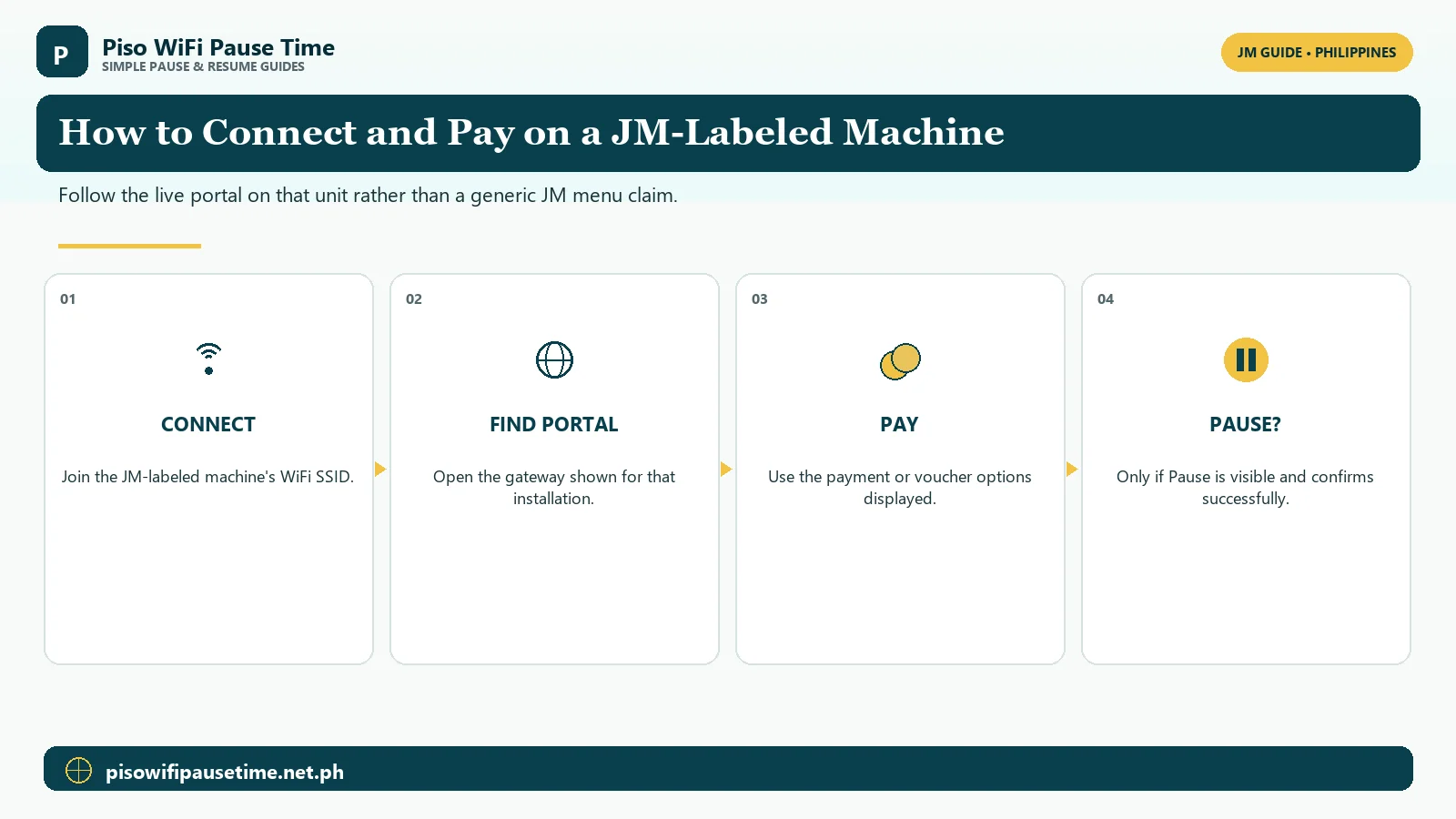
- 01Connect
Join the machine's WiFi
- 02Open portal
Visit the customer page
- 03Pay
Use an available method
- 04Go online
Use your active session
Why can two JM-branded machines have different features?
They may use different software, hardware or operator settings. One machine may offer Pause Time or vouchers while another may not. Check the actual portal and ask the operator when a feature is unclear.
The JM name alone does not confirm a portal address, payment method, pause limit, session duration or machine price.
What Can You Expect From a JM Piso WiFi Machine Seller?
If you want to buy a machine, confirm the products and services offered by the specific seller. Businesses using similar names may offer different packages.
Products and installation services
A seller may offer vending equipment, routers, enclosures, coin acceptors, software installation, assembly, network configuration or testing. Ask for a written list of what is included.
How to inquire or order
- 1
Contact the seller through a verified business channel.
- 2
Ask for current product details and a complete quotation.
- 3
Confirm payment, delivery and installation arrangements.
- 4
Check warranty and after-sales support.
- 5
Keep proof of payment and order details.
What should you check before buying?
- Hardware and router specifications
- Actual software name and license terms
- Coin and voucher compatibility
- Cashless payment support, if needed
- Warranty and technical support
- Installation and recurring costs
Does JM Piso WiFi have a standard machine price?
There is no verified universal JM machine price. Cost depends on the individual seller, hardware, software and installation package. A seller's machine package price is not the customer's internet-access rate.
Are there franchise fees or royalties?
Do not assume every seller has the same arrangement. Ask about licensing, recurring software fees, franchise charges and other business terms directly.
How to Connect to JM Piso WiFi
This guide explains the customer steps first. It also shows how to identify the underlying software and what to do when the portal, payment or session controls do not work.
First connect your phone or computer to the wireless network provided by the machine. The portal is normally the next step; connecting to WiFi does not always provide internet access immediately.
- 1Find the correct WiFi network
Open your device's WiFi settings. Look for the network name displayed on the vending machine or its instruction sticker. The name may be selected by the shop or operator.
- 2Connect your Android phone
- Open Settings.
- Select WiFi or Network & Internet.
- Turn WiFi on and select the machine's network.
- Enter a network password only if the machine requests one.
- Wait for a sign-in notification or connection confirmation.
- 3Connect your iPhone
- Open Settings → WiFi.
- Turn WiFi on.
- Tap the machine's network name.
- Enter a network password if requested.
- Wait for the connection or captive-portal notification.
- 4Connect a Windows laptop or Mac
Open the WiFi menu, select the machine's network and enter its network password if required. Once connected, open a browser to continue to the customer portal.
Does connecting to WiFi automatically give you internet?
Not always. The machine may let your device join the wireless network first, then require a payment or voucher before internet access starts. This process is usually handled by a captive portal.
What if the network does not appear?
- Move closer to the machine.
- Turn WiFi off and on again.
- Refresh the available network list.
- Check the network name on the machine.
- Ask the operator whether the machine is switched on.
Do you need a WiFi password?
Some machines allow customers to connect without a separate WiFi password. Others require one. If a password is requested, ask the operator. A WiFi connection password is not the same as an administrator password.
How to Open the JM Piso WiFi Login Portal
After connecting to the machine's WiFi, open the customer portal to pay for or manage your session.
Does the login page open automatically?
Many captive portal systems redirect connected devices automatically. Your phone may show a notification such as “Sign in to WiFi Network.” Tap it to open the page. Automatic redirection may not work every time.
How to open the portal manually
- 1
Confirm that you are connected to the correct machine.
- 2
Open Chrome, Safari or another browser.
- 3
Tap the browser's address bar.
- 4
Enter the local gateway address used by the machine.
- 5
Follow the instructions on the customer portal.
http://10.0.0.1This address is common, but it is not guaranteed for every JM-branded machine.
Is 10.0.0.1 the JM Piso WiFi login address?
It may be the correct address for your machine, but another gateway may be configured. If the page does not open, find the gateway shown in your device's network details instead of guessing other addresses.
What is 10.0.0.0.1?
The exact string 10.0.0.0.1 is not a valid IPv4 address because it contains five number groups. Check whether you meant 10.0.0.1.
How to open the portal in Chrome or Safari
Connect to the machine, open the browser and type the gateway directly into the address bar. Do not type it into Google's search box. If the page fails, confirm the gateway and WiFi connection.
Customer portal vs. admin login
For internet users
- Payment options
- Voucher entry, if supported
- Remaining time
- Pause or Resume, if available
For authorized owners
- Machine settings
- Rates and sessions
- Network configuration
- Operator controls
You do not need an administrator login to buy internet access. Do not enter credentials on an unfamiliar administrator page.
How to Find the Correct JM Piso WiFi IP Address
If 10.0.0.1 does not open, find the gateway of the WiFi network you are connected to. The gateway is the local router address your device uses to communicate with that network.
Android
- 1
Open Settings.
- 2
Tap WiFi or Network & Internet.
- 3
Select the connected network.
- 4
Open network details.
- 5
Look for Gateway or Router.
iPhone
- 1
Open Settings.
- 2
Tap WiFi.
- 3
Tap the information icon beside the connected network.
- 4
Find the Router field.
Windows
- 1
Connect to the machine.
- 2
Open Command Prompt.
- 3
Type
ipconfig. - 4
Find the wireless adapter.
- 5
Read Default Gateway.
macOS
- 1
Open System Settings.
- 2
Select WiFi and the connected network.
- 3
Open network details.
- 4
Find Router under TCP/IP.
Why might your machine use a different IP address?
The address depends on the router and network configuration selected by the owner or installer. JM branding does not guarantee one gateway address across all installations.
What if the gateway address does not open?
- Confirm that you are connected to the correct machine.
- Check the gateway again for typing errors.
- Enter it directly in the browser address bar.
- Temporarily disconnect a VPN if it interferes with local access.
- Ask the operator whether the portal is working.
How to Use the JM Piso WiFi Portal and Pay for Internet
Check the payment methods displayed on the customer portal. Options differ between machines and are set by the operator.
How to pay using coins
- 1
Open the customer portal.
- 2
Check the displayed rates.
- 3
Choose the amount you want.
- 4
Insert coins if the machine has a working coin acceptor.
- 5
Wait for the machine to recognize the payment.
- 6
Check whether your session has started.
How to enter and redeem a voucher code
- 1
Find the voucher or code field.
- 2
Enter the code carefully.
- 3
Check for typing errors or extra spaces.
- 4
Tap Submit, Redeem or the displayed button.
- 5
Wait for confirmation.
Voucher validity and restrictions depend on the issuer and software. See our Piso WiFi voucher code guide for more help.
Can you pay using GCash, Maya or a QR code?
Some machines may support GCash, Maya or QR-based payments, but these options are not guaranteed. Use only the payment instructions shown by the actual machine. Check the amount and recipient before confirming a transaction.
How to check rates and remaining time
Rates are set by each operator. There is no universal JM Piso WiFi rate. Before paying, check the displayed price, time offered and any conditions. After payment, look for a confirmation, active-session status or countdown timer.
- Correct machine and WiFi network
- Correct customer portal
- Displayed price and duration checked
- Payment method confirmed
- Pause availability checked if you need it
What if you paid but internet did not start?
Check the payment confirmation, refresh the portal and reconnect if needed. Keep your transaction reference. Do not pay a second time until the operator has checked the first transaction.
How to Pause JM Piso WiFi Time
Pause Time can help preserve eligible unused session time when you need to step away. However, not every JM-branded machine offers a customer-facing pause feature.
Does every JM Piso WiFi machine have Pause Time?
No. Availability depends on the actual software and operator settings. Check the customer portal or ask the operator before assuming the feature is available.
Where can you find the Pause button?
If supported, look around the session information for a control labelled Pause Time, Pause or a similar term. Its location and wording depend on the software.
- 1Connect and open the portal
Reconnect to the same machine's WiFi network and open the customer portal.
- 2Check that your session is active
Find the session timer or status. A pause control may only appear for an eligible active session.
- 3Tap Pause Time if it is available
Tap the button once and wait for the portal to respond. Do not assume the session paused until you see a confirmation or status change.
- 4Confirm the paused status
Look for a Paused label, a changed button or a stopped countdown. The exact display depends on the system.
- 5Resume when you return
Reconnect to the same network, reopen the portal and look for Resume, Continue or a similar control. Check the remaining time after resuming.
How long can a session stay paused?
There is no confirmed universal JM pause duration or pause count. The software and operator settings determine the rules. Ask the operator before leaving a session paused for a long time.
Does pausing consume remaining time or data?
A properly paused time-based session is intended to stop time consumption during the allowed pause period. The exact behavior should be confirmed for the machine you are using.
Can Piso WiFi pause automatically?
Some software supports automatic pause under configured conditions. For example, AdoPiSoft documents inactivity-related session settings. This is a platform-specific example, not a guaranteed JM machine feature.
What Does JM Piso WiFi Pause Time Not Do?
Does disconnecting WiFi automatically pause your time?
Not necessarily. Disconnecting from WiFi is different from pressing Pause. Some systems keep counting down after disconnection, while others may have configured automatic pause behavior.
Does closing Chrome or Safari stop the timer?
Closing a browser does not automatically mean that the session is paused. Check the portal's session status before stepping away.
Does turning off your phone save remaining minutes?
Turning off your phone does not guarantee that the machine will stop counting the session. Use the Pause control when available and confirm that it worked.
Can you resume on a different phone?
This depends on the software and session configuration. Some systems associate sessions with the original device. Using the same phone and browser is the safest approach.
Can one payment or voucher be used on multiple devices?
Do not assume so. Device limits and voucher rules depend on the installed system and operator settings. Check the conditions before purchasing.
Does Pause Time give you extra minutes or keep apps connected?
No. Pause Time is intended to preserve eligible unused time, not create extra minutes. Online apps may stop working while internet access is paused.
Can you leave a paused session for several days?
Do not assume a session remains available indefinitely. The machine may apply expiration rules, scheduled resets or other settings. Ask the operator about the allowed pause period.
Why Can't You Pause Your JM Piso WiFi Session?
The machine may not offer customer pausing, or the operator may have disabled it. Ask whether the feature is supported.
The installed software may not provide the feature in the way you expect. JM branding does not confirm a particular software system.
If the paid session has ended, the Pause button may no longer be available. Check the remaining-time display.
Some platforms let operators limit the number or duration of pauses. Ask the operator about the machine's rules.
Reconnect to the same network, reopen the portal and check whether the session is still active.
What can you do if there is no Pause button?
- Ask the operator whether the machine supports Pause Time.
- Ask whether the feature is disabled.
- Check whether a voucher can be purchased now and activated later, including its expiry conditions.
- Consider smaller payment amounts if the displayed rates offer them.
- Do not treat WiFi disconnection as a substitute for pausing.
How to Identify the Software Behind a JM Piso WiFi Machine
The name printed on the vending machine does not always identify the software running inside it. Check the portal, machine documentation or ask the operator.
Where to look for software branding
- A software name or logo on the customer portal.
- A company name or copyright notice.
- A support link or platform reference.
- A machine label or documentation.
- Confirmation from the seller or installer.
| Name | What it refers to | What to remember |
|---|---|---|
| JM | Seller/installer branding | Does not identify the software by itself. |
| LPB | Piso WiFi software | Use LPB-specific documentation only when verified. |
| AdoPiSoft | Piso WiFi software | Has its own documented session and pause settings. |
| JuanFi | Open-source Piso WiFi system | Associated with MikroTik HotSpot technology. |
| MikroTik | Networking platform and equipment | Not the same thing as JM seller branding. |
| PisoFi | Separate Piso WiFi system | Verify its own documentation and configuration. |
What should you ask the machine operator?
- 1
Which Piso WiFi software does this machine use?
- 2
What is the correct customer portal address?
- 3
Does it support Pause Time?
- 4
How long can a session stay paused?
- 5
Which payment methods are supported?
- 6
What should I do if payment is not credited?
JM Piso WiFi Troubleshooting: Common Problems and Solutions
Identify the exact problem before changing settings. These checks are intended for customers; machine configuration should be handled by the operator.
| Problem | What to check first | When to contact the operator |
|---|---|---|
| Portal not loading | Correct WiFi and gateway address. | Gateway still does not respond. |
| 10.0.0.1 shows an error | Find the actual gateway on your device. | Correct gateway still fails. |
| Obtaining IP address | Reconnect to WiFi; refresh network connection. | Device still cannot join the network. |
| Connected, no internet | Check payment and active-session status. | Session is active but internet is unavailable. |
| Payment not credited | Keep confirmation and transaction reference. | Payment accepted but access did not start. |
| Voucher not working | Check code, validity and machine compatibility. | Valid code is still rejected. |
| Remaining time disappeared | Check session status and expiry. | Expected time cannot be recovered. |
| Cannot resume | Reconnect using the same device and network. | Session remains unavailable. |
| Repeated disconnection | Check signal strength and device WiFi. | Machine network remains unstable. |
Why does the login portal not load?
Confirm the correct WiFi network, find the gateway address and enter it directly in your browser. A VPN may interfere with local portal access. If the page still fails, ask the operator to check the machine.
Why does your phone keep obtaining an IP address?
Turn WiFi off and on, reconnect to the network and, if needed, forget the network before reconnecting. If the issue continues, the router may have a network configuration problem.
Why are you connected but have no internet?
Check whether payment was completed, the session is active and the remaining time has not expired. The machine may also have lost its internet connection.
Why did payment or a voucher fail?
Check the transaction confirmation, voucher spelling, expiry and compatibility. Keep proof of payment and ask the operator to check the transaction before paying again.
What if the machine restarts?
Session recovery depends on the installed software and its settings. Some systems document reboot recovery options; this does not mean every JM-branded machine has them enabled.
Is JM Piso WiFi Safe to Use?
Piso WiFi is a shared network. Use the same care you would use on other public WiFi connections.
Is it safe to connect to a public Piso WiFi network?
For ordinary browsing, a shared network may be convenient. Remember that it is not your private home network.
Should you enter banking passwords?
Avoid entering sensitive banking details or private information on an untrusted public network. Use a trusted connection for sensitive activity.
How can you recognize an unofficial login page?
Use the local address provided by the machine. Be careful if a page redirects to an unrelated website, asks for unnecessary personal information or requests an unknown application.
Should you use a VPN or install an app?
A VPN may affect local captive-portal access. If the portal will not open, temporarily disconnect it while accessing the local page. Do not install an unknown application just to use the machine.
Should customers access the admin login?
No. Customers should use the customer portal. The administrator panel is for authorized owners and operators.
What Should You Know Before Starting a JM Piso WiFi Business?
How to set up a vending machine
A general setup involves selecting compatible equipment, arranging an internet connection, installing the router and software, configuring payment options and testing the customer portal before opening the service.
Hardware and internet connection
A machine may need a router, access point, controller, coin acceptor and internet subscription. Confirm compatibility with the software provider and installer.
Rates, vouchers and Pause Time
Owners manage rates, voucher options and session controls through the actual installed software. Consult that platform's documentation. Do not apply settings from a different platform based only on JM branding.
Security, maintenance and operating costs
Protect administrator access, use private credentials, maintain supported software and secure the equipment. Consider internet subscription, electricity, repairs, replacement parts and any software licensing costs.
What affects profitability?
Customer demand, location, rates, internet costs, maintenance, competition and machine downtime all affect results. A Piso WiFi machine does not guarantee passive income or a fixed return on investment.
Advantages and Limitations of JM-Branded Piso WiFi Machines
Potential benefits and limitations depend on the actual machine, software and internet connection.
✓ Potential benefits
- Convenient prepaid internet access
- Local access without a personal monthly subscription
- Different payment options where supported
- Pause functionality where available
- Operator-managed customer sessions
! Possible limitations
- Portal addresses can differ
- Pause settings are not universal
- Connection quality can vary
- Payment methods depend on the operator
- Shared WiFi needs sensible security habits
What should you check before choosing a machine?
Check the actual software, hardware, internet compatibility, warranty, payment options and available support. Customers should check the portal address, displayed rates and session rules.
Frequently Asked Questions About JM Piso WiFi
What is JM Piso WiFi?
It is a name associated with locally sold or installed Piso WiFi vending machines. The actual software and features depend on the individual machine.
Is JM Piso WiFi a software or a vending machine?
JM is not a verified standalone software platform. It is a seller or installer name associated with Piso WiFi machines.
How do I connect to JM Piso WiFi?
Open your device's WiFi settings, find the network provided by the machine and connect. Then open the customer portal to follow the payment instructions.
How do I open the JM Piso WiFi login page?
Connect to the correct WiFi network and wait for the portal notification. If it does not appear, enter the machine's actual gateway address directly into your browser.
What is the JM Piso WiFi IP address?
10.0.0.1 is commonly reported for Piso WiFi portals, but it is not guaranteed. Check your connected device's gateway address.
Is 10.0.0.0.1 a real Piso WiFi address?
No. The exact string 10.0.0.0.1 is not a valid IPv4 address because it contains five number groups.
How do I find my Piso WiFi gateway address?
On Android, check the connected network details. On iPhone, look for Router in the WiFi information screen. On Windows, use ipconfig and find Default Gateway.
How do I pause JM Piso WiFi time?
Open the customer portal, find Pause Time if available and tap it. Check for confirmation that your session has paused.
How do I pause Piso WiFi on Android or iPhone?
Connect to the machine's WiFi, open the portal in your browser and use the Pause control if the machine provides one.
How do I resume my Piso WiFi session?
Reconnect to the same machine, open the customer portal and look for Resume or Continue. Follow the displayed instructions.
How long can I keep my session paused?
There is no confirmed universal JM pause duration. The installed software and operator settings determine the rules.
Why is there no Pause button?
The machine may not support Pause Time, or the operator may have disabled it. Ask the operator to confirm.
Does disconnecting WiFi save my remaining time?
Not necessarily. Some machines may continue counting down after disconnection. Use the Pause button when available and confirm that it worked.
Can I transfer my remaining time to another phone?
This depends on the installed system. Some platforms associate sessions with the original device. Ask the operator before switching devices.
Does JM Piso WiFi accept GCash or Maya?
Some machines may support GCash or Maya, but this is not guaranteed. Check the actual portal for available payment methods.
What should I do if I paid but have no internet?
Check your payment confirmation and session status. Reconnect to the WiFi network and contact the operator if your payment was accepted but access did not start.
Do I need an admin password to use JM Piso WiFi?
No. Customers do not need the machine's administrator password to purchase internet access. Use the customer portal and follow the payment instructions.
How much does a JM Piso WiFi machine cost?
There is no verified standard JM machine price. The cost depends on the seller, hardware, software and installation package.
Final thoughts
JM is a name associated with locally sold and installed Piso WiFi machines, but the name alone does not identify the software running inside a machine.
Start by connecting to the correct WiFi network, opening the customer portal and checking the displayed payment and session instructions. If 10.0.0.1 does not open, find the gateway on your device instead of guessing. If you need Pause Time, confirm that the actual machine supports it.
The software and operator settings determine how each machine works. When something is unclear, ask the machine owner or installer about that specific setup.